Shopify how-to
Call for price on Shopify: the honest guide
By Jahangir Alam · June 21, 2026 · Updated August 12, 2026 · 7 min read
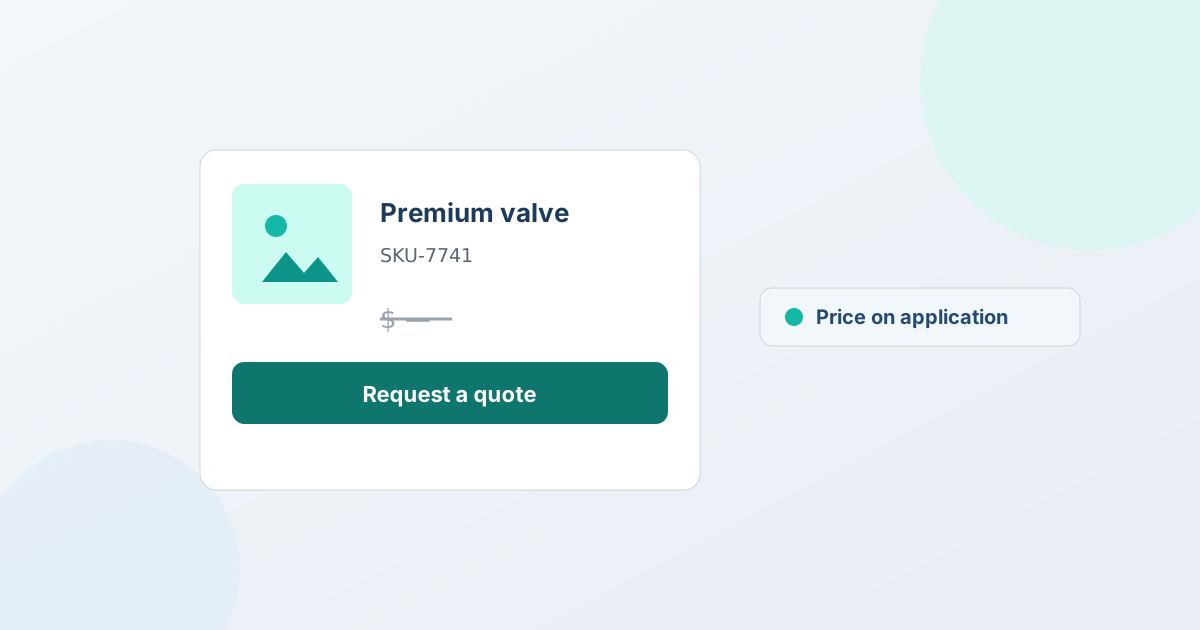
What does "call for price" mean on Shopify?
"Call for price" - also written POA (price on application) - means hiding a product's price and prompting the buyer to contact you for a quote instead of buying at a listed number. On Shopify you set it up by hiding the price on the storefront and replacing "Add to cart" with a "Request a quote" (or "Contact for pricing") button for the buyers you choose. It's common for wholesale and trade pricing, big-ticket or configured products, and MAP-restricted goods where you can't show a public price.
The catch most guides skip: how you hide the price matters a lot - both for your buyers' experience and for whether your products still work in Google Shopping. The most popular shortcut, a fake "$9,999" placeholder price, causes more problems than it solves. Here's the honest version.
The $9,999 placeholder trick - and why it backfires
The hack works like this: instead of removing the price, you set it to an obviously fake high number like $9,999 so the product still has a "price" (and stays a normal, purchasable Shopify product) while signalling "this isn't the real price - ask us." It's quick, needs no app, and feels clever. It also backfires three ways:
- It's a real, clickable buy button. Nothing stops a buyer from actually checking out at $9,999. Accidental orders, refunds, and a confusing experience follow.
- Google Shopping reads it as your price. Google Merchant Center requires the price in your product feed to match the price on the landing page. A fake $9,999 is that price - so you're advertising a wrong number, which is misleading and risks item or account disapproval.
- It erodes trust. Shoppers recognise the trick, and a storefront full of $9,999 products looks broken rather than premium.
If your goal is "don't show the public a real price," a fake price is the wrong tool - it shows a real (wrong) one.
Call for price and Google Shopping, honestly
This is the trade-off to understand before you hide anything. Google Shopping (free listings and Shopping ads) is built around products that have an accurate, buyable price. So:
- Hide the price and you generally give up standard Shopping for those products - there's no valid price to submit, and faking one violates Google's accurate-price requirement.
- Hiding the page price doesn't hide the feed price. Hide-price tools work on your storefront pages - QuotWay visually on Starter, and search-engine-safe on Professional and up - but your product data still carries the real number, and that's what Merchant Center reads. So "I hid it on the page" doesn't mean "it's out of my Shopping feed."
The honest path is to decide per audience: keep your retail catalogue priced and Shopping-eligible, and gate pricing only for the trade buyers you target. You don't have to hide everything from everyone.
How to set up call for price on Shopify the right way
A quote app does this without a fake price and without theme code. With QuotWay:
- Add a "Request a quote" button. Place it on the products (or the whole catalogue) where you want call-for-price, as a theme app block - no $9,999, no manual price edit.
- Hide the price for the buyers you target. On Starter and up, hide the price and swap "Add to cart" for "Request a quote" (or your own "Contact for pricing" text), targeted by customer, tag, or segment - so retail shoppers still see real, Shopping-eligible prices.
- Capture what you need to quote. Configure the form for quantity, company, and any spec details, so a call-for-price enquiry arrives ready to price.
- Respond with a real quote. Reply with line pricing, negotiate if needed, and convert the accepted quote to a Shopify draft order - the price lives in the quote, not a fake tag.
One honest note: on Starter, QuotWay's hide price is a visual storefront control (what targeted buyers see); on Professional and up, search-engine-safe hiding also keeps the price out of the page source, meta tags, and structured data for signed-out visitors. For the full picture of what hiding a price does and doesn't do, see how to hide prices on Shopify.
Keep retail shoppable while trade asks for a price
The reason to target rather than blanket-hide: most stores want both. Retail shoppers should see a real price and stay eligible for Google Shopping; trade buyers should get "call for price" and a quote path. Because targeting is per buyer and per product, you can run a normal priced storefront and a call-for-price experience for wholesale on the same store - no duplicate catalogue, no fake prices. For the wholesale build end to end, see run wholesale quoting on Shopify. Hide price starts on Starter; the free Lite plan runs the quote loop itself, so you can test the flow before you pay - see plans and pricing.
Frequently asked questions
What does "call for price" mean?
"Call for price" - also written price on application (POA) - means hiding a product's price and prompting the buyer to contact you or request a quote instead of buying at a listed number. On Shopify you set it up by hiding the price on the storefront and swapping "Add to cart" for a "Request a quote" (or "Contact for pricing") button for the buyers you choose. It's common for wholesale and trade pricing, big-ticket or configured products, and MAP-restricted goods where you can't show a public price.
How do I set up "call for price" on Shopify?
Use a quote app to hide the price for the buyers you target and show a "Request a quote" button instead - rather than faking a price. With QuotWay you add the button as a theme app block, turn on hide price (Starter+) for the customers, tags, or segments you choose, capture the enquiry, and respond with a real quote that converts to a Shopify draft order. Retail shoppers keep seeing real, Shopping-eligible prices.
Is the $9,999 "call for price" trick safe to use?
No - it's best avoided. A fake $9,999 price is a real, clickable buy button (so buyers can accidentally order at it), and Google Merchant Center requires your feed price to match the landing-page price, so advertising a fake number risks item or account disapproval. Hide the price properly for the buyers you target instead of disguising it as a high number.
Can I hide a price and still appear in Google Shopping?
Generally no for the hidden products: Google Shopping needs an accurate, buyable price, and there's no valid price to submit for a call-for-price item (faking one breaks Google's accurate-price rule). The practical approach is to keep your retail catalogue priced and Shopping-eligible and gate pricing only for the trade buyers you target, rather than hiding prices store-wide.
Does QuotWay remove my prices from Google?
On Starter, no - hide price there is a visual control (what your targeted buyers see), not removal from Google. On Professional and up, search-engine-safe hiding does keep the price out of what Google indexes: the QuotWay Price Gate block plus a guided one-time theme edit remove it from the page source, meta tags, and Product JSON-LD for signed-out visitors, verified by a built-in leak check. One limit: Shopify's own /products.json feed still carries the price (only B2B catalogs or unpublishing hide that), so manage your Google Shopping feed separately.
Related articles
See how QuotWay handles this on your store.