B2B strategy
Shopify wholesale login: trade accounts and login-to-view pricing
By Jahangir Alam · June 21, 2026 · Updated August 23, 2026 · 8 min read
How do trade accounts work on Shopify?
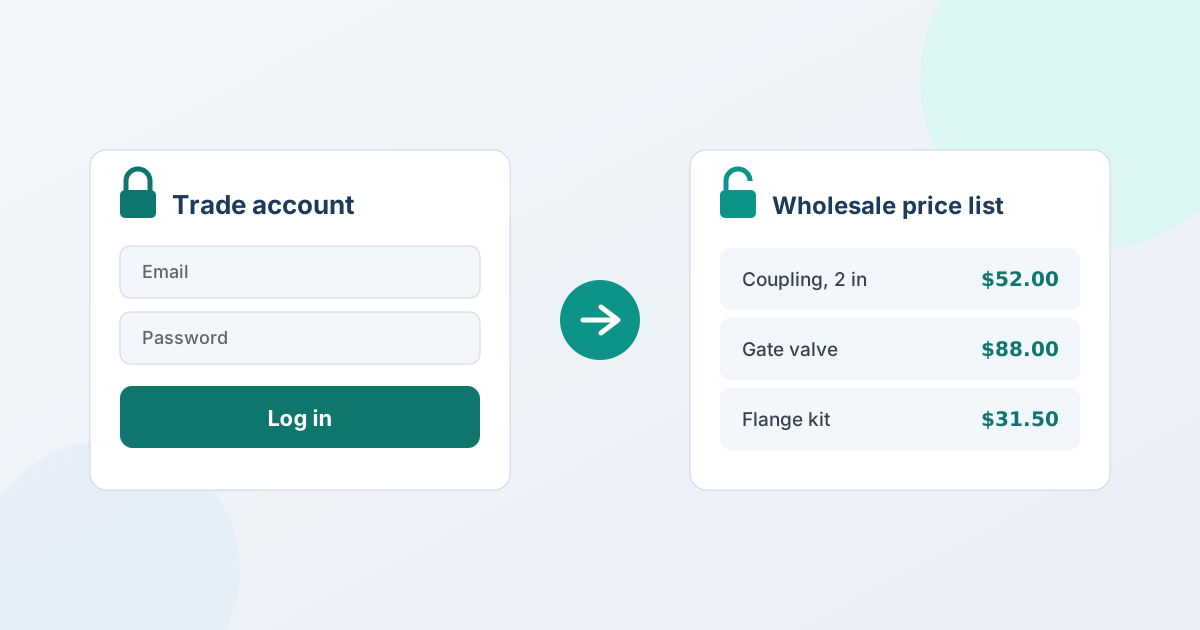
A trade account is a vetted business buyer who logs in to see your wholesale pricing and order at trade terms, rather than paying the public retail price. On Shopify you set one up by approving the buyer, attaching trade pricing to their account, and gating prices so only logged-in trade buyers see them - while retail shoppers see your normal store. The two native ways to attach the pricing are Shopify B2B (a Company with its own price list) or customer tags and segments; "login to view price" is the gating layer on top.
The short version is that a trade account is three jobs bolted together: an application and approval, the pricing tied to the account, and the gating that hides trade prices from everyone else. Shopify handles each a little differently, and a couple of them lean on an app. Here's the honest path.
Login to view price: how price gating works
"Login to view price" means a visitor sees no price (and no buy button) until they sign in as an approved trade buyer. There are two native foundations:
- Shopify B2B (Companies). You create a Company for the account, attach a price list, and assign the buyer's contacts. Once logged in, they see their company pricing; the public store shows retail. This is gating by design, and since Shopify's 2026 rollout it works beyond Plus.
- Customer tags and segments. Without full B2B, you tag approved buyers (for example
trade) and use segments plus a hide-price tool to show trade pricing - or a "Request a quote" prompt - only to tagged, logged-in customers.
Either way, "login to view price" is really gating by audience. The pricing itself comes from B2B price lists or tags; the gating decides who sees it.
How to create a wholesale login on Shopify
Merchants ask for this in a dozen ways - a wholesale login, a dealer login, a trade portal, a wholesale page - and they all describe the same three moving parts. It helps to separate them, because only one of them is actually a "login".
- The login is just a Shopify customer account. There is no separate wholesale account type to create. The buyer signs in with an ordinary customer account; what makes it a wholesale login is what you attach to it and what you gate behind it.
- What makes it wholesale is what's attached. Either a Company in Shopify B2B, with its own price list and contacts, or customer tags and segments on a regular account. That attachment is what decides which prices the buyer sees once signed in.
- What makes it feel like a portal is the gating. Prices and buy buttons hidden from everyone who isn't signed in and approved, and a "request a quote" path offered instead.
So "create a wholesale login" is really: approve the buyer, attach the pricing, gate the rest. The first two are Shopify's jobs, and the setup steps below walk through them.
One boundary worth stating plainly. Some merchants searching for a wholesale login actually want to lock whole pages or the entire storefront behind a password - a different job, handled by storefront-lock apps or a password-protected store. QuotWay does not lock pages. What it gates is the price and the quote path: hide the price for the buyers you target (visual on Starter and above, search-engine-safe on Professional and above) and show a "Request a quote" button in its place. If your requirement is "nobody can even see the catalogue without an account," that is a lock app or a separate wholesale store, and it's worth knowing before you buy anything.
How to set up a trade account on Shopify
A clean setup combines a native foundation with a quote app for the parts Shopify doesn't cover. With QuotWay handling the gating and quoting:
- Capture a trade application. Put a short form on a
/tradeor/wholesalepage collecting business name, tax or reseller ID, and expected volume. Shopify Forms does this natively and creates the company record for you - wholesale account applications walks the whole intake, review, and approval flow. - Vet and approve the buyer. On approval, either create a Shopify B2B Company and invite them, or apply a
tradetag to their customer record so your rules start applying. - Attach the trade pricing. Use a Shopify B2B price list (per Company) or a tag/segment-based pricing rule. QuotWay doesn't set list pricing - keep that in native B2B or a pricing app.
- Gate prices for everyone else. With QuotWay, hide the price and swap "Add to cart" for "Request a quote" or "Login to view price" for guests and non-trade buyers (Starter+), targeted by customer, tag, or segment.
- Add a quote path for negotiated orders. Let approved buyers request a quote for volume or custom orders; you negotiate and convert the accepted quote to a Shopify draft order.
One honest note: on Starter, QuotWay's hide price is a visual storefront control; on Professional and up, search-engine-safe hiding also keeps the price out of the page source and structured data for signed-out visitors - see how to hide prices on Shopify.
Where quoting fits for trade accounts
One trade sector runs this differently enough to be worth its own read: brands selling to interior designers and specifiers quote a project rather than an order, and running an interior design trade program covers the approval, gating and project-quoting mechanics together.
Login pricing covers the fixed, list-based prices. But a lot of trade buying is negotiated - a buyer asks for a number on a big order, and a fixed price list can't hold that. That's where a quote app earns its place alongside the trade account: the approved buyer requests a quote, you respond with versioned pricing, negotiate, and convert the agreed deal to a real Shopify order - optionally on payment terms like net 30 for organization buyers on a B2B-capable store. So the trade account gives them their everyday pricing on login, and quoting handles the deals that need a conversation. For the full wholesale build, see how to sell wholesale on Shopify and the wholesale & distribution solution. Hide price and buyer counter-offers start on Starter, and Companies and payment terms on Enterprise - see plans and pricing.
Frequently asked questions
How do I set up "login to view price" on Shopify?
Gate prices so only approved, logged-in trade buyers see them. Use Shopify B2B (a Company with a price list) so buyers see their pricing on login, or tag approved customers and use a hide-price tool to show trade pricing - or a "Request a quote" prompt - only to tagged, logged-in buyers. QuotWay handles the hide-price and quoting side (Starter+), while the list pricing lives in Shopify B2B or a pricing app.
Do I need Shopify Plus for trade accounts?
No. Since Shopify's 2026 rollout, B2B features - Companies, customer-specific pricing, and payment terms - work on Basic, Grow, and Advanced stores with B2B enabled, not just Plus. You can also run trade accounts with customer tags and segments on any plan, with QuotWay adding hide price (Starter+) and a quote flow. Plus is not required to gate pricing or run wholesale accounts.
Does QuotWay set wholesale prices for trade accounts?
No. QuotWay is a quote and negotiation app, not a pricing engine - it doesn't manage price lists or tiered-pricing rules. Set trade pricing with Shopify B2B price lists or customer tags/segments (or a dedicated pricing app). QuotWay's part is hiding prices for the buyers you target, gating the storefront, and running the request-a-quote and negotiation flow for the orders a fixed list can't cover.
Can I approve trade buyers manually before they see pricing?
Yes - manual approval is the norm, and it's the default: a company created from an account-request form can't order or see B2B pricing until you grant its permissions. Until then you can hide trade prices and show a "Request a quote" or "Login to view price" prompt with QuotWay (Starter+), so a pending applicant isn't stuck on a storefront with nothing to do. See wholesale account applications on Shopify for the full intake and approval flow.
Related articles
See how QuotWay handles this on your store.