Quoting & negotiation
When to automate B2B quotes (and when not to)
By Jahangir Alam · June 20, 2026 · Updated August 22, 2026 · 7 min read
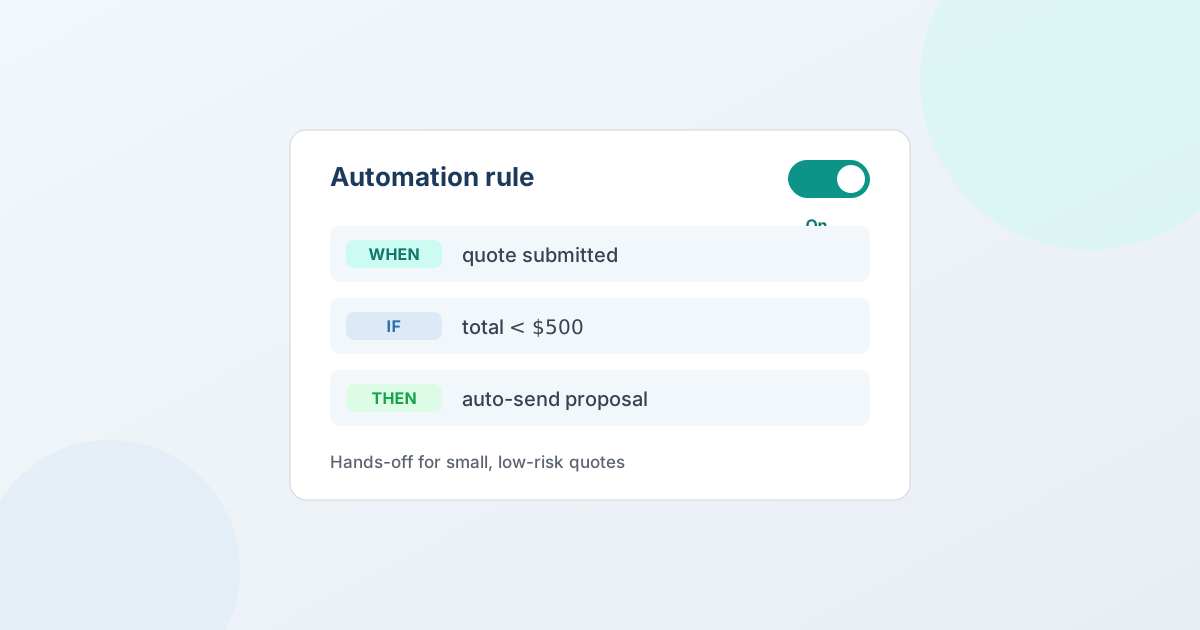
Automate the B2B quotes that are routine and rule-shaped - a known buyer, a familiar product, a discount well within your limits - and keep a human on the quotes that involve judgment, a new relationship, or a price near your floor. The line isn't "automate everything" or "automate nothing"; it's automating the predictable parts so your team's attention goes to the deals that actually need negotiating. The key is that good quote automation is deterministic: it acts only on conditions you set, so you always know exactly what it will and won't do.
This guide covers what automating a quote really means, which quotes are safe to automate, which to keep human, and how to set it up without losing control. For the step-by-step setup, see how to automate quotes on Shopify.
What automating a quote actually means
Automating a B2B quote means setting a rule that acts on a quote the moment it matches conditions you defined - without waiting for someone to notice it. A rule watches for a situation you described in advance and takes the action you chose, every time that situation occurs.
One thing to be clear about, because it shapes everything else: this is deterministic automation, not artificial intelligence. The rule doesn't guess, learn, or set prices on its own. It fires only when your conditions are true and does exactly what you told it to. That predictability is the whole point - automation you can't predict isn't a time-saver, it's a liability. So the real question isn't "is the automation clever enough?" It's "which quotes are predictable enough that a fixed rule handles them correctly?"
When to automate: the routine quotes
Most B2B quoting volume is routine. These are the quotes where the answer is obvious and the same every time, so a rule resolves them as well as a person would:
- Known buyers within known limits. A repeat account requests a familiar product at a quantity you've priced a hundred times, and the discount they're asking for is well inside your policy. There's no decision to make - just a yes.
- Quotes that should be routed, not decided. A request that clearly belongs to a particular salesperson or region can be auto-assigned the moment it arrives, so it lands with an owner instead of waiting in a shared inbox.
- Quotes that don't fit, full stop. A request outside your service area or below your minimum can be auto-declined, politely and consistently, without manual triage.
- The follow-ups you keep forgetting. A quote awaiting a buyer's response can get an automatic follow-up on the schedule you set, and a proposal can carry an expiry with reminders - so quiet deals stay warm and stale ones close out cleanly. (Following up on a B2B quote sets out the timing.)
Automating these frees your team's time without risking a bad outcome, because the outcome was never in doubt.
When not to automate: the deals that need a human
The flip side matters just as much. Some quotes should always reach a person, and trying to automate them is where automation earns its bad reputation:
- Anything near your floor price. A deal at the edge of your margin is a judgment call about the relationship and the long game - not a threshold a rule should settle alone.
- New or strategic accounts. The first quote to a prospective key account sets the tone for everything after. That's a human conversation, not a rule.
- Unusual configurations or one-off terms. A request that doesn't look like your routine quotes is, by definition, not a fit for a rule built around the routine ones.
- Anything where the rule isn't certain. If you can't describe the condition precisely enough to trust the action, that's a signal to keep it manual.
A well-designed system makes this easy: quotes that don't match any rule simply flow to your inbox as normal. Automation should never silently swallow the deals you'd want to see - the ones that don't fit a rule are exactly the ones a person should handle.
The When → If → Then shape
Good quote automation reads like a sentence you'd say out loud, which is also what keeps it predictable. In QuotWay, every rule follows the same shape:
- When - the trigger that starts the rule, such as a new quote request arriving.
- If - the conditions that must be true for it to act: quote value, customer tag, the products on the quote, and similar facts. Combine them to keep a rule narrow.
- Then - the action it takes: auto-accept within your floor price, auto-price, auto-assign, auto-decline, or send a follow-up.
Because a rule acts only when your conditions match, you can read it back and know exactly when it will fire. Set it once and it behaves the same way on every quote that fits. The full builder, with worked examples, is on the automation rules feature page.
The guardrails that keep automation safe
Three guardrails are what let you automate routine quotes without losing control:
- A floor price. Pair auto-accept with your floor - the lowest price you'll take - so a rule can accept a quote quickly but never below the margin you need. The floor lives in your negotiation settings, and it's what makes auto-accept safe.
- A kill switch. A single global switch pauses every automation rule at once - auto-accept, auto-price, auto-assign, auto-decline, follow-ups, and reminders all stop together. During a price change or a busy season, you put a human back on every quote instantly.
- A full audit trail. Every automated action is written to the quote's append-only event log, so you can always see which rule acted, on which quote, and when. Automation never becomes a black box.
With those in place, automating the routine is a controlled decision you can reverse in one click, not a leap of faith.
How to start
The practical approach is to automate narrowly first, then widen as you trust it. Pick the single most repetitive, lowest-risk situation you handle - often auto-assigning incoming requests, or auto-declining clearly out-of-scope ones - and write one tight rule for it. Watch the event log to confirm it's doing exactly what you expect. Then add the next rule.
This keeps automation matched to your comfort, and because each rule is deterministic, there are no surprises to debug - only conditions to refine. QuotWay is a B2B quote and negotiation app for Shopify, built by EFOLI, with this rule engine built in. Automation rules are on the Professional ($79/mo) and Enterprise ($199/mo) plans; the free Lite plan and Starter ($29/mo) cover quoting, negotiation, and conversion, and each paid plan includes a 14-day trial. You can install free, run your quoting first, and turn on automation when your volume justifies it - see pricing. Automation is one layer of a larger flow; the guide to negotiating B2B prices without the email chain covers how the human and automated parts fit together.
FAQ
When should you automate B2B quotes?
Automate the routine, rule-shaped quotes - known buyers, familiar products, discounts well within your limits - plus mechanical tasks like assigning, declining out-of-scope requests, and follow-ups. Keep a human on deals near your floor price, new or strategic accounts, unusual configurations, and anything where you can't describe the condition precisely. The aim is to free your team for the quotes that need judgment, not to automate every decision.
Does QuotWay use AI to price or negotiate quotes?
No. QuotWay automation is rule-based and deterministic: it acts only on conditions you set - quote value, customer tag, products, and similar facts - and takes the action you chose. It does not use AI to set prices, predict outcomes, or negotiate on its own. You stay in control, and a global kill switch pauses every rule at once.
What can a quote automation rule do?
A rule follows a When → If → Then shape: when something happens, if your conditions are true, then it takes an action. Actions include auto-accept within your floor price, auto-price, auto-assign to a team member, auto-decline, automatic follow-ups on quotes awaiting a buyer, and auto-expiry with reminders. Each runs only when its conditions match; quotes that don't match flow to your inbox as normal.
How do I keep automation from accepting a quote below my price?
Pair auto-accept with a floor price - the lowest price you're willing to take. The rule can accept quickly when a quote is within your limits but never below your floor, so fast automation doesn't cost you margin. You can also pause every rule instantly with the global kill switch, and every automated action is recorded in the quote's event log.
Which QuotWay plan includes automation?
Automation rules are on the Professional ($79/mo) and Enterprise ($199/mo) plans. The Lite (free) and Starter ($29/mo) plans don't include automation, though they cover quoting, negotiation, and conversion to a Shopify draft order. Every paid plan includes a 14-day trial.
Related articles
See how QuotWay handles this on your store.