For Shopify agencies
Shopify B2B launch checklist: 50 tests to run before going live
By Jahangir Alam · September 20, 2026 · Updated October 15, 2026 · 14 min read
- Last verified
- Shopify API
- 2026-10
- Audience
- Shopify agencies and developers taking a B2B build live
- Scope
- Native Shopify B2B end to end, plus a quote layer if one is installed; one fixture on a development store
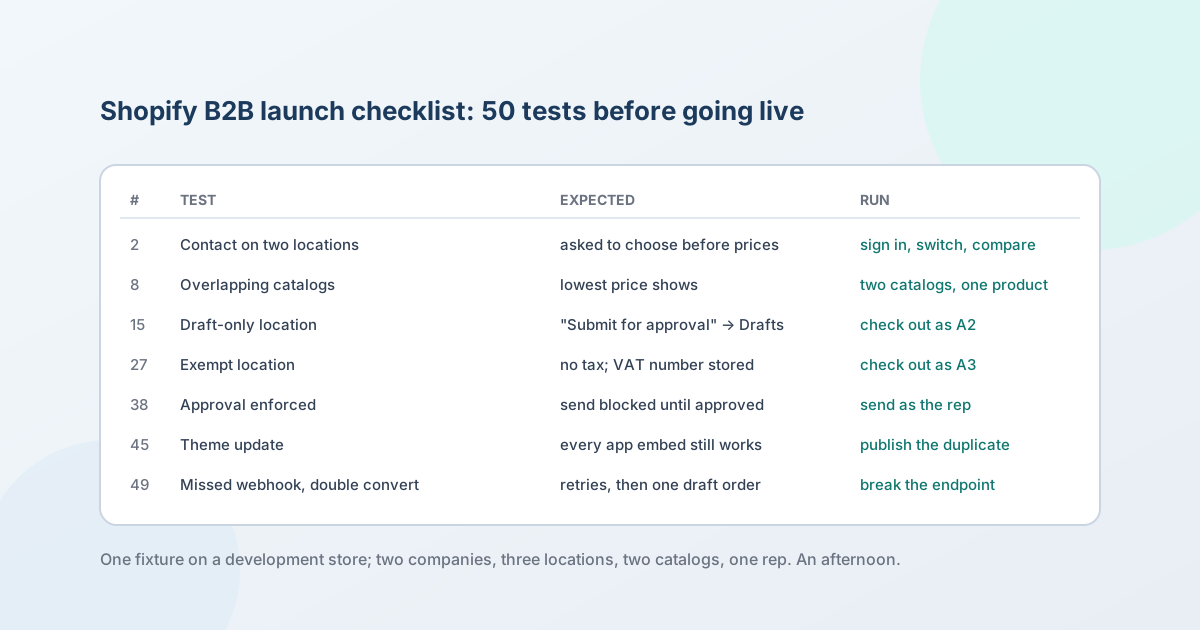
Shopify's own B2B setup checklist ends with two lines of testing: create a test customer and log in, then invite buyers to place orders.
Between those two lines is everything that goes wrong in the first month - a location that sees the wrong catalog, a tax exemption that doesn't apply, a draft order that lost the negotiated price, a rep who can send a discount nobody approved, a quote button that vanished with the theme update. The fifty tests below are that gap, written so an agency can run all of them on one development store in an afternoon: each has the expected result, which is a documented Shopify behaviour or a property any quote layer must have, and the exact way to run it.
The plan is vendor-neutral. Sections A to E and G to I test native Shopify B2B and apply to every build; section F tests the quote layer - an app or a custom build - and can be skipped by a store that runs on catalogs alone (if you are not sure which you are, when you shouldn't use a quote app settles it). Re-verified against Shopify's pages on 7 October 2026; the Shopify B2B technical reference carries the rows' underlying facts with their sources.
Download: the fixture and all 50 tests as a PDF checklist (no sign-up) - built from this page, so it cannot drift from it.
Set up the fixture first
Every test below assumes this fixture on a development store (free, B2B-capable, and app subscriptions on it are test charges) or a duplicate of the client's store with the payment provider in test mode. Shopify's caution applies: "customers can't place live orders during the time that your payment providers are in test mode", so run this before launch or on the dev store, never on the live store after it.
- Two companies. Company A with three locations: A1 on Net 30, A2 set to "Only allow draft orders at checkout", A3 with a tax exemption and a tax ID. Company B with one location, B1, on no payment terms.
- Two catalogs. Catalog 1 assigned to A1, A2 and B1; Catalog 2 assigned to A1 only, containing one product that is also in Catalog 1 at a different price. On one product in Catalog 1: a minimum of 6, an increment of 6, and a volume break at 24.
- Contacts. One contact on A1 and A2 (two locations); one contact on A3 only; one contact on B1; one email address with no account at all (the guest).
- Staff. One admin; one sales rep with "Restrict permissions to assigned company locations" assigned to B1 only.
- Stock. One product tracked with 2 units on hand.
- Theme. The live theme plus a duplicate, unpublished, to test theme changes without touching the buyer's view.
- Payments. Shopify Payments test mode or the test gateway, so checkouts complete without money moving.
- If a quote layer is installed: a request-a-quote button live on product and cart, an approval policy that requires sign-off for any discount past 10 percent, and a one-day expiry on proposals.
A. Sign-in, accounts and context
| # | Test | Expected result | How to run it |
|---|---|---|---|
| 1 | B2B contact signs in | A one-time code arrives at the contact's email; no password is asked for; the account shows company and location information | Sign in as the A1 contact from a private window |
| 2 | Contact on two locations | The buyer is asked to choose a location before prices show; switching location changes the catalog | Sign in as the A1/A2 contact; pick A1, note a price, switch to A2, note the price |
| 3 | Signed-in customer with no company | Treated as a D2C customer: retail prices, no company information, no B2B checkout | Sign in with a customer that belongs to no location |
| 4 | Account request form | Submitting the form creates a company, a location and a customer in the admin, pending approval; the applicant sees nothing B2B until approved | Submit the form as the guest email; check Companies in admin; approve; sign in |
| 5 | Signed-out visitor | Sees exactly what the store intends: retail prices, or no prices if prices are hidden - and if the hide is meant to be search-engine-safe, no price in the page source either | View a product page signed out; view source and search for the price |
| 6 | Invitation email | The B2B invitation email arrives, is branded, and its link signs the contact in | Send the invitation from the company page; open it on a phone |
B. Catalogs and pricing
When a row here fails, why B2B buyers can't see their prices maps the symptom to its cause.
| # | Test | Expected result | How to run it |
|---|---|---|---|
| 7 | Location price | A1 sees Catalog 1's price on a product that is only in Catalog 1; B1 sees the same catalog's price; a D2C customer sees the retail price | Compare the product page as each |
| 8 | Overlapping catalogs | On the product in both catalogs, A1 sees the lower of the two prices - both catalogs reach A1 the same way, and among equals Shopify shows the lowest. (On Plus, a catalog assigned directly to the location would instead beat one that reaches it through a market: "the most specific" wins before "the lowest") | View as A1; compare with the two catalog prices in admin |
| 9 | Quantity rules | Quantity below 6 or not a multiple of 6 is refused in the cart with a message; 6 and 12 are accepted | Add 5, then 7, then 6 as A1 |
| 10 | Volume break | At 24 units the line price drops to the break price; at 23 it does not; the catalog's percentage adjustment no longer applies to that product | Add 23, then 24 |
| 11 | Excluded product | A product not in the location's catalog cannot be added to the cart, including by URL or by editing the request in the browser | Try the product URL as B1; try adding via the cart's form with the variant ID |
| 12 | Catalog price change | Changing a price in Catalog 1 changes the storefront for A1 on the next page load; an existing draft order with a locked price does not change | Edit the catalog price; reload as A1; open the locked draft from test 23 |
| 13 | Presentment currency | A buyer in a B2B market with its own currency sees prices in that currency, and the draft order and order are in it too | Assign Company B to a B2B market with a second currency; view as B1; check out |
C. Checkout
| # | Test | Expected result | How to run it |
|---|---|---|---|
| 14 | Net terms checkout | A1's checkout shows the terms; the button reads "Submit"; the order is created with status "Payment pending"; nothing is charged | Check out as A1 |
| 15 | Draft-only location | A2's checkout button reads "Submit for approval"; the order appears on the Drafts page, not Orders; the buyer sees it as pending | Check out as A2; open Drafts |
| 16 | No terms | B1 is asked for a card and clicks "Pay now"; the test payment succeeds; the order is paid | Check out as B1 with the test gateway |
| 17 | PO number | The PO number entered at checkout appears on the order and on the buyer's order status page | Enter a PO as A1; open the order in admin and in the account |
| 18 | Vaulted card | A card saved at the location level is offered on the next checkout without re-entry | Save a test card as B1; check out again |
| 19 | Deposit (Plus stores) | With a deposit on the location, the button reads "Submit now", the deposit is paid and the order shows "Partially paid" (or "Payment pending", depending on whether payment is captured automatically or manually); the balance follows the terms | Set a percentage deposit on A1; check out |
| 20 | Accelerated checkout | Shop Pay, Apple Pay, Google Pay and Amazon Pay buttons are not offered to a B2B buyer - they are incompatible with B2B checkout | Check out as A1 on a phone with a wallet configured |
| 21 | Reorder | The buyer can duplicate a past order from the account and reach checkout with the same lines at today's catalog prices | Reorder as A1 after test 14 |
D. Draft orders
When a draft-order row fails on price, why a quote converts at the wrong price maps the difference to its cause.
| # | Test | Expected result | How to run it |
|---|---|---|---|
| 22 | Admin draft for a location | A draft created in admin for A1 shows A1's catalog prices, payment terms and checkout settings without re-entry | Create a draft order, choose the A1 contact and location |
| 23 | Custom price and lock | A line's price can be overridden and locked; a later catalog change (test 12) leaves it unchanged | Override a line, lock prices, then run test 12 |
| 24 | Reserve inventory | If the store reserves stock on drafts, reserving moves the units to Committed until the expiry; the 2-unit product cannot be bought by another buyer while reserved | Reserve on a draft with the 2-unit product; try to buy it as B1 |
| 25 | Invoice | Sending the invoice emails the company contact; the link opens a checkout for the draft; paying it creates the order | Send invoice from the draft; pay with the test gateway |
| 26 | Draft becomes order | The completed draft appears on Orders with the PO number, terms and locked prices intact; the Drafts entry closes | Complete via invoice payment or "Mark as paid" |
E. Tax and shipping
When a tax test fails, why the tax on a quote doesn't match the order traces which input Shopify read differently.
| # | Test | Expected result | How to run it |
|---|---|---|---|
| 27 | Exempt location | A3's checkout charges no tax on the exempt category; the tax ID (VAT number for a UK or EU address with Shopify Tax) is stored on the location | Check out as the A3 contact; compare with A1 |
| 28 | Non-exempt location | A1 is taxed at the rate for the ship-to address; changing the shipping address changes the tax | Check out as A1 to two addresses |
| 29 | B2B shipping rates | The rates shown to B2B buyers are the ones intended for them (a B2B shipping profile, or the general rates), and a location with an editable shipping address can change it | Compare rates as A1 and as a D2C customer |
| 30 | One-time address | A location allowed a one-time shipping address can enter one at checkout; one that isn't cannot | Toggle the location setting; check out as A1 |
If you also sell to tax-exempt individuals, repeat test 27 with an exempt customer record instead of a location - tax-exempt customers on Shopify covers the customer settings, checkout and POS.
F. The quote layer
Skip this section if the store runs on catalogs and draft orders alone. If it uses a quote app or a custom build, every row applies; the evaluation checklist explains why each matters.
| # | Test | Expected result | How to run it |
|---|---|---|---|
| 31 | Request from a product page | A signed-in buyer's request arrives with the product, variant, quantity and the buyer's company and location; the buyer gets a confirmation email that lands in the inbox, not spam | Request as A1; check the request and the email headers |
| 32 | Request from the cart | A multi-line cart becomes one request with all lines | Fill a cart as A1; request a quote |
| 33 | Guest request | The guest email can request a quote without an account, reach the proposal through the app's own link or code, and - after creating an account - see the quote in it | Request as the guest; sign up later with the same email |
| 34 | Eligibility enforced | A product excluded from quoting is rejected by the server, not merely hidden | Replay the request from the browser's network tab with an excluded variant ID |
| 35 | Baseline price | The proposal for A1 starts from A1's catalog price (the lower one on the overlapping product), not the retail price and not a price stored in the app | Compare the proposal's starting price with test 8 |
| 36 | Custom line | A line that is not a variant can be added with its own price, tax flag and shipping flag, and reaches the draft order as a custom line with those flags | Add a setup charge; convert; read the draft order line |
| 37 | Versions are immutable | Sending a proposal fixes it: a sent proposal can't be edited; a buyer counter produces its own version, your reply produces the next one, and earlier versions stay on record | Send, then try to edit; counter as the buyer, then reply; read the history |
| 38 | Approval enforced | A rep sending a discount past 10 percent cannot: the send is blocked until an approver acts, including when the send comes from an automation; the rep cannot approve their own quote | Send as the rep; try any auto-send; try approving as the rep |
| 39 | Expiry | After the one-day expiry the accept link no longer accepts; the buyer sees that the quote has expired | Set the expiry; wait or set the clock; open the link |
| 40 | Accept some lines | The buyer accepts two of four lines; the other two stay open, not declined; the draft order holds only the two accepted lines at their negotiated prices, with A1's payment terms and the PO number | Accept two lines as A1; open the draft order |
G. Staff and permissions
| # | Test | Expected result | How to run it |
|---|---|---|---|
| 41 | Restricted rep | The rep assigned to B1 sees only B1's company, customers, orders and draft orders in admin, and nothing of Company A | Sign in as the rep; open Companies, Customers, Orders, Drafts |
| 42 | Rep and the quote layer | The rep's view in the quote layer matches the Shopify restriction, or is more restrictive, never less | Open the quote list as the rep |
| 43 | Staff limits | An eleventh sales staff member cannot be assigned to a location - the limit is 10 per location - and one staff member can be on several locations | Add staff to B1 until the limit; assign one of them to A1 as well |
H. Storefront and theme
| # | Test | Expected result | How to run it |
|---|---|---|---|
| 44 | App embed active | The quote button (or any app's storefront element) appears after install only once its app embed is switched on in Theme settings > App embeds; the switch is on in the live theme | Check the theme editor; view the product page |
| 45 | Theme update | Publishing the duplicate theme keeps every app embed and block working; nothing was injected into theme files that the duplicate lost | Publish the duplicate; run tests 5, 31 and 44 again; switch back |
| 46 | Mobile and no JavaScript | The request form works at 390 px wide, and submits with JavaScript disabled | Use a phone and a browser with scripts blocked |
| 47 | Performance | The storefront's Lighthouse performance score with the app embed on is within 10 points of the score with it off - the Built for Shopify rule | Run Lighthouse mobile on home, product and collection with the app's files blocked and unblocked, at least five interleaved rounds, weighted 17/40/43 - a single pair is within run-to-run noise (method) |
I. Integrations, resilience and data
| # | Test | Expected result | How to run it |
|---|---|---|---|
| 48 | Flow | The B2B trigger or the quote layer's trigger fires on the event and the Flow action runs (a tag, an email, a Slack message) | Build a one-step Flow; cause the event |
| 49 | Missed webhook and double conversion | With the app's webhook endpoint returning an error, Shopify retries (8 times over 4 hours) and the app reconciles when it recovers; converting the same acceptance twice in quick succession produces one draft order, not two | Break the endpoint briefly on the dev store; trigger a conversion twice |
| 50 | Uninstall and export | Export from the quote layer contains every quote, version, approval and message; uninstalling leaves products, companies, catalogs, draft orders and orders untouched; reinstalling within the documented window restores the app's data | Export; uninstall; check the admin; reinstall |
Before launch
- Switch the payment provider out of test mode, and delete or archive the test companies, test orders and test draft orders.
- If prices are hidden from search engines, run the leak check signed out one last time after the final theme publish.
- Keep the fixture. The plan is re-run after every theme update, every Shopify API version the quote layer upgrades to, and every Shopify Edition that touches B2B; the reference page logs those.
FAQ
What does Shopify's own B2B checklist cover, and what doesn't it?
Setup: companies and locations, catalogs, customer accounts, payment and shipping methods, theme, sales staff, optional features - and then "create a test customer and log in". It is the list of things to configure. This page is the list of things to prove, including the interactions Shopify's list cannot know about: overlapping catalogs, a quote layer, a rep's restrictions, a theme update, a missed webhook.
How do we test checkout without taking real money?
Put Shopify Payments in test mode or use the test payment gateway; test orders complete without charging and do not appear in payouts or reports. Live orders cannot be placed while a provider is in test mode, so do this on a development store or before the store is live, and switch it off before launch.
Can all of this run on a development store?
Yes. Development stores are free and B2B-capable, app subscriptions on them are test charges, and the whole fixture above fits on one. The only rows that need a Plus store are the Plus features - deposits, direct catalog assignment - which need a Plus store or a Plus partner sandbox.
Do we need section F if we don't use a quote app?
No. A store that runs on catalogs, quantity rules and draft orders has no quote layer to test; sections A to E and G to I are the whole plan. If a request-a-quote app is installed, every row in F applies to it, whichever vendor it is.
How often should the plan be re-run?
After every theme update or theme switch (section H catches the classic "the button disappeared"), after every API version the quote layer moves to, after every Shopify Edition that changes B2B, and before any change to catalogs or payment terms goes live. The fixture is cheap to keep; the tests are cheap to re-run. Record the decisions the tests depend on - store type, company tree, where each price lives, the API version and its owner - in a handover ledger.
Where do these expected results come from?
Every row in sections A to E and G to I restates a behaviour documented on Shopify's help or developer pages, linked below and dated in the reference page. Section F's expected results are the properties any quote layer must have to be safe - immutable versions, server-side approval, the negotiated price on the draft order line - and are the same rows the evaluation checklist asks a vendor to prove. For QuotWay specifically, the Shopify B2B feature page, the docs and the free Lite plan are where to run them.
Sources
Shopify pages, all read on 20 September 2026 and re-read on 7 October 2026:
- Setup checklist for blended B2B stores
- Placing test orders
- Creating and managing B2B customers using companies (per-location tax ID and exemptions)
- Sign-in and customer accounts in B2B
- B2B catalogs and quantity rules and volume pricing
- Checkout and accounts, payment terms and creating B2B orders using draft orders
- Overview of B2B features and requirements and considerations
- Orders, data and admin access for B2B sales staff
- Theme app extension configuration and Built for Shopify requirements
- Webhooks - verify deliveries, timeouts and retries and privacy law compliance
- Draft orders for B2B
Related articles
- For Shopify agenciesIs Shopify good for B2B? When it's the right platform, and when it isn't14 min read
- For Shopify agenciesWhy a quote converts at the wrong price on Shopify: diagnose it by the size of the difference13 min read
- For Shopify agenciesWhen the quote and the Shopify order disagree: what drifts after conversion12 min read
See how QuotWay handles this on your store.