Quoting & negotiation
Setting up B2B approval workflows on Shopify
By Jahangir Alam · June 20, 2026 · Updated August 22, 2026 · 7 min read
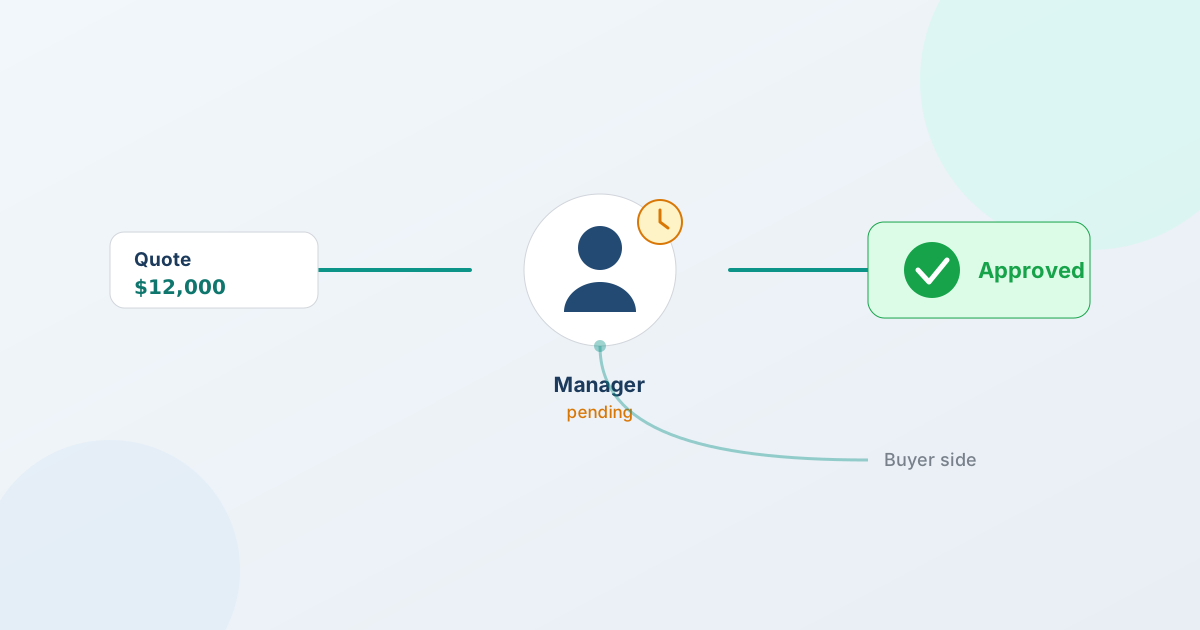
To set up a B2B approval workflow on Shopify, you define a policy that decides who has to sign off on a quote before it can be sent or accepted, and the quote routes to those approvers automatically. With QuotWay you build that policy on a visual canvas - when it triggers, which quotes it applies to, who approves and in what order, and what happens once they do - and approvals can run on both sides of the deal: your team's sign-off and the buyer organization's. This guide walks through the setup, step by step.
Approval workflows are a Professional-and-up feature, so the steps below assume you're on the Professional or Enterprise plan.
What a B2B approval workflow is
A B2B approval workflow is a rule that holds a quote until the right people approve it. Instead of a salesperson sending any price they like, or a buyer accepting without their own organization's sign-off, the quote pauses at defined checkpoints and moves forward only when each approver signs off. This guide covers building the workflow; deciding what the thresholds should be is a separate exercise, covered in building a B2B quote approval matrix.
The defining trait of B2B approvals - and the part most quote tools miss entirely - is that they run on both sides of a deal. Your side has approvals (a manager signs off a deep discount before it goes out); the buyer's side has approvals (their procurement or finance lead authorizes the spend before they accept). A complete workflow handles both, and records every decision.
Why quotes need approvals on both sides
A quote is a commitment of price and a commitment of spend. Each side has a reason to put a checkpoint on it:
- Your side: protect pricing and margin. Without a checkpoint, any team member can send a discount that's deeper than your policy allows. A merchant-side approval holds a proposal until a manager confirms it when a condition is met - a discount past a threshold, an order above a value, a particular buyer.
- The buyer's side: match their procurement. Businesses don't let one person commit budget unilaterally. A buyer-side approval routes the quote into the buyer organization's own purchasing or finance approval before it can be accepted, so the deal fits how they actually authorize spend instead of stalling in someone's inbox.
Cover both and a quote can't slip through under-priced from your side or unauthorized from theirs.
Build a policy on the visual canvas
In QuotWay you build an approval policy on a visual canvas, read left to right - no code and no rules language to learn. There are four parts:
- When - the trigger that starts the policy. For example, a proposal is about to be sent, or a quote is about to be accepted.
- Which - the conditions that decide whether this policy applies: quote value, discount depth, the buyer, the products, and similar facts. This keeps a policy narrow, so routine quotes aren't held up needlessly.
- Steps - who has to approve, and in what order. Add as many steps as the deal needs; a quote can pass through more than one approver before it moves.
- Then - what happens once everyone approves (the quote proceeds) or if it's rejected.
You can run different policies for different situations - one for big discounts, another for new accounts - and turn any policy on or off. The full canvas, with a worked two-step example, is on the approval workflows feature page.
Approvals on your side
Merchant-side approvals keep your team's pricing under control. Set a policy that holds a proposal until the right person signs off, before it ever reaches the buyer:
- Require a manager to approve a proposal based on conditions you set - discount depth, order value, the buyer, the products.
- Route through multiple steps in sequence when a deal needs more than one approver.
- Tie each approver's decision to the exact version of the quote they approved, so there's no question later about what was signed off.
Merchant-side approval policies are part of the base approval feature on Professional and up.
Approvals on the buyer's side
Buyer-organization approvals bring the buyer's own purchasing process into the quote, so the people who actually authorize spend on their side are part of the workflow:
- Route a quote into the buyer organization's approval chain before it can be accepted.
- Add external approvers by email - a procurement or finance contact at the buyer's company who isn't a user in your store. They approve the specific quote they're sent.
- Record every buyer-side decision against the quote, alongside your team's.
This two-sided coverage is the part of the category most quote apps don't have at all. Buyer-organization chains and external approvers are on Professional and up.
Advanced routing on Enterprise
Most teams are well served by sequential, multi-step approvals. Teams whose approvals can't be a straight line need more, and that governance is on the Enterprise plan:
- Parallel and conditional steps - send a quote to several approvers at once, or branch the path by condition instead of running one fixed sequence.
- Timeouts - give each step a deadline so an approval doesn't sit indefinitely.
- Escalation - when a step times out or has no eligible approver, the quote escalates instead of getting stuck.
- Delegation - an approver can hand a decision to someone else when they're out.
Advanced routing - parallel and conditional steps, timeouts, escalation, and delegation - is Enterprise-only. The base approval workflows described above are on Professional and up; don't assume the advanced behaviors exist on Professional.
Every decision is recorded
Approval history is captured with each quote, so you always have a record of who approved what and when. Every step - sent for approval, approved, rejected, escalated, delegated - is written to the quote's append-only event log, tied to the exact version that was approved and alongside the negotiation rounds it belongs to.
That gives you an auditable trail for internal governance and for the buyer's procurement records, and it settles any "who agreed to this?" question after the fact by the record rather than memory. Because the same log holds the negotiation history, approvals and price history live together; see negotiation and counter-offers for how that versioned record works.
Set it up on your store
Putting an approval workflow in place comes down to a few decisions: what should trigger a review, which quotes it applies to, who approves and in what order, and whether the buyer's organization needs to approve too. QuotWay is a B2B quote and negotiation app for Shopify, built by EFOLI, that runs all of it inside your existing store - approvals route automatically, and every decision lands on the quote.
Approval workflows are on the Professional ($79/mo) and Enterprise ($199/mo) plans, with advanced routing on Enterprise; the free Lite plan and Starter ($29/mo) cover quoting, negotiation, and conversion without approvals, and each paid plan includes a 14-day trial. You can install QuotWay free, run your quoting on Lite or Starter, and turn on approvals when a deal needs sign-off - see pricing for the breakdown. Approvals are one step of a larger B2B quote flow; the guide to negotiating B2B prices without the email chain covers how the rest of that flow fits together.
FAQ
How do I set up a B2B approval workflow on Shopify?
Install a quote app that supports approvals, such as QuotWay, then build a policy on its visual canvas: set when it triggers (a proposal is sent or a quote is accepted), which quotes it applies to (by value, discount, buyer, or products), who approves and in what order, and what happens when they do. The quote then routes to those approvers automatically. Approval workflows are on QuotWay's Professional and Enterprise plans.
Can the buyer's organization approve a quote, not just my team?
Yes. QuotWay handles approvals on both sides of a deal. You can route a quote into the buyer organization's own purchasing or finance approval chain before it can be accepted, including external approvers addressed by email who aren't users in your store. Every buyer-side decision is recorded against the quote, alongside your team's. This is on Professional and up.
What's the difference between approvals on Professional and Enterprise?
Professional includes multi-step approval policies for both merchant-side sign-off and buyer-organization approval chains. Enterprise adds advanced routing: parallel and conditional steps, timeouts, escalation when a step stalls, and delegation. Approval workflows aren't available on the Lite or Starter plans.
Is every approval decision recorded?
Yes. Approval history is captured with each quote - sent for approval, approved, rejected, escalated, or delegated - and written to the quote's append-only event log, tied to the exact version that was approved. Because the same log holds the negotiation rounds, approvals and price history live together, giving you an auditable trail for governance and procurement.
Related articles
See how QuotWay handles this on your store.