B2B strategy
RFQ (request for quote) on Shopify: a procurement guide
By Jahangir Alam · June 20, 2026 · Updated August 22, 2026 · 7 min read
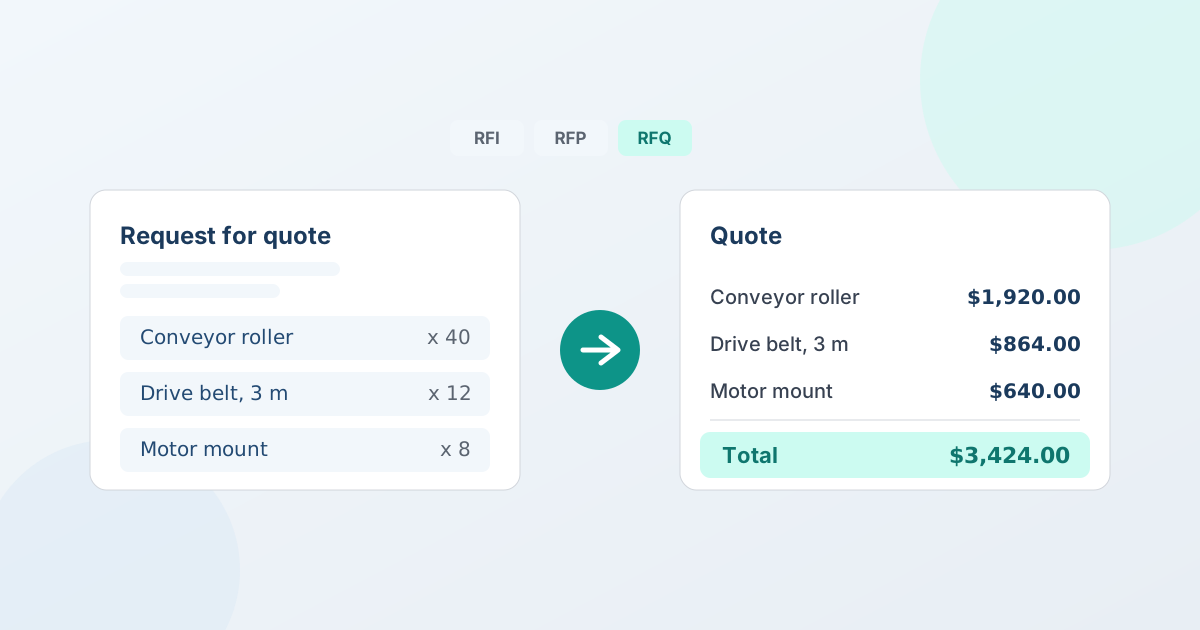
An RFQ (request for quote) is the procurement document a business buyer sends when they know exactly what they want and need a price: specific products, specific quantities, "what will this cost, and on what terms?" On Shopify, handling RFQs means giving those buyers a way to submit their requirements, responding with a documented, line-itemized quote their purchasing process can act on, negotiating if needed, and converting the agreed quote into a real Shopify order. It's the seller's side of the buyer's procurement process.
This guide is written for that procurement context: what an RFQ is versus an RFP and an RFI, where the RFQ sits in a buyer's purchasing workflow, and how to receive and respond to RFQs on a Shopify store. (For the storefront mechanics of adding the button, the request-a-quote button setup guide goes step by step; this one stays on the procurement side.)
RFQ vs RFP vs RFI: the three procurement documents
Buyers' purchasing teams use three different requests at different stages, and they're easy to mix up. Knowing which one you've received tells you how to respond.
- RFI (request for information). The earliest stage. The buyer is researching the market and asking about your capabilities, range, lead times, or certifications - not pricing yet. You respond with information, not a quote.
- RFP (request for proposal). Used when the buyer has a need but not a fixed spec, and wants suppliers to propose how they'd solve it. RFPs are evaluated on more than price - approach, terms, service, fit - and usually involve custom or complex requirements.
- RFQ (request for quote). Used when the spec is already settled and the buyer mainly needs pricing to compare suppliers and proceed. The products and quantities are known; what's open is the price, the volume break, and the terms.
Most Shopify B2B sellers receive RFQs (and the occasional RFP for custom work). The defining trait of an RFQ is that the buyer already knows what they want - so a fast, accurate, documented price is what wins it.
Where an RFQ sits in the procurement process
An RFQ isn't a one-off message - it's one step in a buyer's purchasing workflow, and understanding the whole chain explains what your quote has to do downstream:
- Requirement and requisition. Someone inside the buyer's business identifies a need and raises an internal requisition to purchase it.
- The RFQ goes out. Purchasing sends the RFQ - the same requirement - to one or more suppliers to get comparable prices.
- Quotes are compared. The buyer lines up the responses (a bid comparison) on price, lead time, and terms, and selects a supplier.
- A purchase order (PO) is issued. The buyer's official order document - referencing the agreed quote - authorizes the purchase and is what their finance team approves against.
- Delivery and invoice. You fulfil the order and invoice it, often on payment terms like net 30, and the buyer pays within the agreed window.
Two things follow from this. First, your quote has to be documented and itemized enough for the buyer to drop it into a requisition and get internal sign-off. Second, the deal usually ends on terms, not a card at checkout - which is why a quote-to-order flow that can apply payment terms matters.
Why procurement teams issue RFQs instead of checking out
A purchasing team sends an RFQ rather than adding to cart for reasons rooted in how they have to operate:
- Volume and negotiated pricing. They're buying enough that the listed price doesn't apply, and they expect a quote that reflects the quantity.
- Comparable bids. Procurement often must collect quotes from more than one supplier to justify the choice - your quote is being compared, so clarity and turnaround count.
- Documentation and sign-off. They can't raise a PO or pass an audit without a documented quote showing line pricing and terms. A verbal or buried-in-email number doesn't satisfy their process.
Meeting these buyers with a real RFQ flow - instead of a generic contact form - matches how they're required to buy, and keeps the deal from stalling in someone's inbox.
How to receive and respond to RFQs on Shopify
On Shopify, you handle RFQs with a quote app that captures the request and lets you respond with a quote a purchasing team can actually use. The seller-side flow:
- Let buyers submit the RFQ. A "Request a quote" button on products, the cart, or your whole catalog captures the buyer's products, quantities, and any details that affect price - including a target price and custom fields for spec-driven items (which fields to ask for covers designing that form). Guest submissions work without an account, so you capture the lead. (Quote requests and forms covers the form and targeting.)
- Respond with a documented, itemized quote. Reply with per-line unit prices, a volume discount, shipping, and an expiry date - a structured proposal the buyer can put in front of their own approvers, not a one-line email.
- Keep a versioned record as you negotiate. Procurement deals go back and forth; each round is captured as a version, so both sides have an auditable record of what was offered and agreed. (The mechanics are in how to negotiate B2B prices without the email chain.)
- Gate trade pricing if you need to. You can hide retail prices for the buyers you target so they send an RFQ instead of checking out - a visual control on Starter, or search-engine-safe on Professional+ (kept out of the page source for signed-out visitors).
The quote button and guest quoting are on every QuotWay plan, including the free Lite plan; hide price and custom fields come in from Starter.
From RFQ to purchase order to paid invoice
The point of an RFQ, from your side, is a closed order that fits the buyer's purchasing process - and the cleanest version converts without re-keying. When the buyer accepts your quote, QuotWay turns it into a native Shopify draft order carrying the negotiated prices exactly, so you invoice and fulfil in Shopify like any other order. (How conversion works covers the handoff.)
Two procurement-specific points:
- The documented quote backs the PO. Because the accepted quote is itemized and versioned, it's the record the buyer's PO references and their finance team approves against - no reconstructing the numbers.
- Terms on conversion. For organization buyers on a B2B-capable store, converting the accepted quote can apply Shopify's own payment terms (such as net 30) to the order, so a trade account is invoiced and pays later rather than at checkout. This uses Shopify payment terms, on QuotWay's Enterprise plan, and isn't a separate credit product. (How to offer net 30 on Shopify goes deeper.)
That chain - RFQ in, documented quote out, negotiated, converted to an order on terms - is what keeps a request for quote from becoming a second system you reconcile by hand.
Getting started
If buyers are already emailing you for pricing, an RFQ flow gives those procurement requests a structured home inside the store you already run. QuotWay is a B2B quote and negotiation app for Shopify, built by EFOLI, that captures the request, lets you respond with a documented quote, runs the negotiation with a versioned record, and converts the accepted quote to a Shopify draft order - with payment terms on conversion for B2B-capable stores.
The free Lite plan runs the full request → negotiate → order loop (up to 10 quotes a month); paid plans from $29/mo add hide price, custom fields, buyer counter-offers, and more, each with a 14-day trial. See pricing for the breakdown, or what a B2B quote app is if you're still scoping the category.
FAQ
What is an RFQ in procurement?
An RFQ (request for quote) is a procurement document a buyer sends when the specification is already known and they mainly need pricing - specific products, quantities, and terms - to compare suppliers and proceed to a purchase order. It differs from an RFI (gathering supplier information) and an RFP (soliciting proposed solutions evaluated on more than price). On Shopify, responding to an RFQ means capturing the request and replying with a documented, itemized quote.
What's the difference between an RFQ, an RFP, and an RFI?
An RFI (request for information) gathers early information about suppliers and capabilities, with no pricing. An RFP (request for proposal) asks suppliers to propose how they'd meet a need, and is judged on approach, terms, and fit as well as price - used for complex or custom requirements. An RFQ (request for quote) is used when the spec is fixed and price is the main open question. Most Shopify B2B sellers receive RFQs.
How do I handle RFQs on Shopify?
Use a quote app that captures the request and lets you respond with a usable quote. Add a "Request a quote" button (QuotWay places it as a theme app block - no code), configure the form to collect quantities and spec details, reply with an itemized proposal, negotiate with a versioned record, and convert the accepted quote to a Shopify draft order. For organization buyers on a B2B-capable store, you can apply payment terms like net 30 on conversion.
Does an RFQ become a purchase order?
Not automatically - they're issued by different sides. The supplier returns a quote in response to the RFQ; the buyer then issues a purchase order (PO), referencing the agreed quote, as their official authorization to buy. A clear, itemized, versioned quote is what the buyer's PO references and their finance team approves against, which is why a documented quote matters in procurement.
Can buyers send an RFQ without creating an account?
Yes, with QuotWay's guest quoting, which is available on every plan. A guest submits the request and confirms it with a quick email-verification step - no account required - and the quote attaches to their Shopify customer account later if they create one.
Related articles
See how QuotWay handles this on your store.