B2B strategy
Wholesale vs. retail pricing on Shopify without duplicate SKUs
By Jahangir Alam · June 21, 2026 · 8 min read
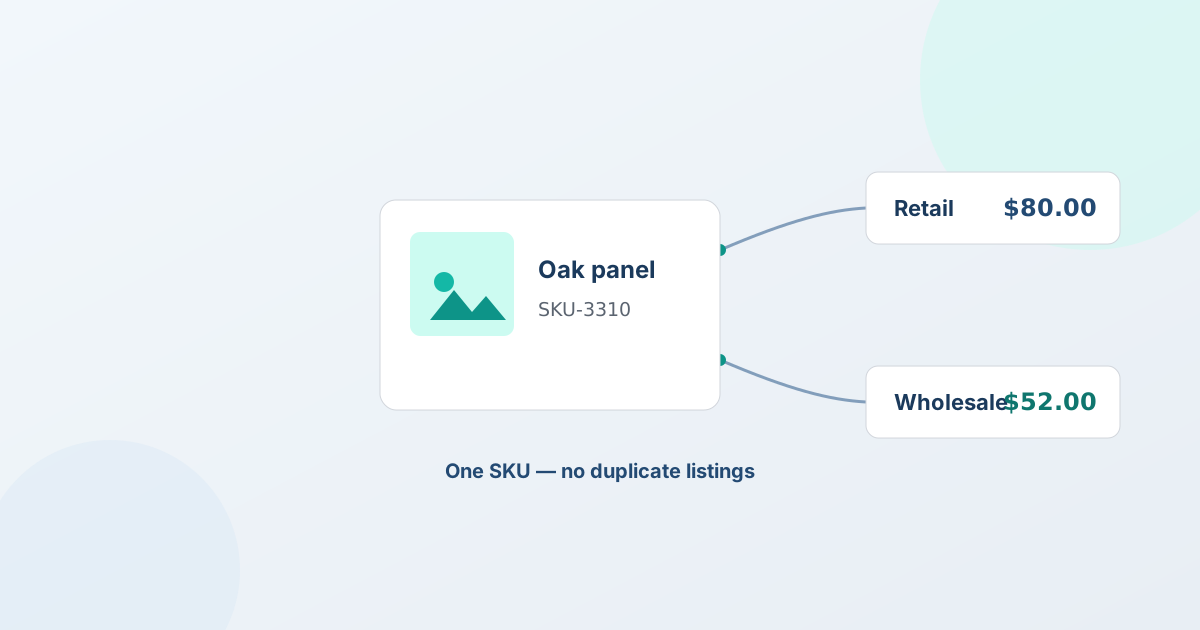
How do you set wholesale and retail prices without duplicating SKUs?
To charge a wholesale price and a retail price for the same product on Shopify, you keep one product with one SKU and attach the wholesale price to the buyer, not to a second listing. The three native ways to do that are Shopify B2B price lists (a wholesale price per Company), customer tags and segments (a discounted price for tagged trade buyers), or a pricing app that manages per-customer pricing. For the deals that aren't a fixed number - negotiated or large orders - you quote the price instead.
The one approach to avoid is the common workaround of listing every product twice: one "retail" SKU and one "wholesale" SKU. It feels simple, but it's the source of the inventory headaches most wholesale merchants eventually hit. Here's why, and what to do instead.
Why the duplicate-SKU workaround breaks
The duplicate-SKU approach means creating a second copy of each product - often in a hidden collection or a separate "wholesale" catalog - with a lower price, so trade buyers add the wholesale version to their cart.
The problem is inventory. You have one physical quantity of the item in your warehouse, but now it's represented by two SKUs in Shopify. So you either:
- Split the stock between the two SKUs (say 50 units to retail, 50 to wholesale) - and now one channel sells out while the other still shows stock, even though there's product on the shelf; or
- Try to keep both SKUs in sync - and Shopify doesn't natively mirror inventory between two separate SKUs, so the counts drift apart with every sale and you oversell or undersell.
On top of that, you double your catalog maintenance (every product edit, image, and description now exists twice), you fragment your reporting (sales for one item are split across two SKUs), and you risk the wholesale listing leaking into search or the retail storefront. Merchants who've run duplicate SKUs at any volume consistently report it as the thing they wish they'd never started.
The right ways to price wholesale and retail on one product
Keep a single product and a single SKU, and make the price depend on who's buying. Pick the method that matches how structured your accounts are.
1. Shopify B2B price lists (the cleanest for defined accounts). With Shopify's native B2B, you create a Company for each wholesale account and attach a price list - a fixed wholesale price, a percentage off retail, or per-variant pricing. The buyer logs in and sees their price; the public store shows retail. The price is tied to the account, not to a duplicate listing, and since Shopify's 2026 rollout this works on Basic, Grow, and Advanced stores, not just Plus.
2. Customer tags and segments (for looser trade groups). If you're not ready for full B2B, tag trade buyers (for example wholesale) and use segments to drive a discounted price and a different storefront experience. It runs on one catalog and one customer list. The honest caveat: Shopify's tag-based price control is more limited than a true price list, so many tag-based setups lean on an app for the actual per-customer pricing.
3. A pricing app (when native rules aren't enough). Dedicated wholesale-pricing apps manage tiered and per-customer price rules on a single product - volume breaks, percentage discounts, account-specific lists - without duplicating SKUs. This is the right tool when your pricing logic is too complex for tags but you want it automated rather than quoted.
Whichever you choose, the rule is the same: one product, one SKU, price attached to the buyer. For the full wholesale build order, see how to sell wholesale on Shopify, and for the pricing logic itself, B2B pricing strategies that protect your margins.
Hiding retail prices from wholesale buyers (and the reverse)
Separating prices usually comes with separating visibility - you don't want retail shoppers seeing trade pricing, and you often want trade buyers to see "Request a quote" instead of a retail price. With native B2B, gating is automatic: logged-in Company buyers see their pricing, the public sees retail. For tag-based wholesale, you hide the price and swap the cart button for the targeted audience, either with theme work or a hide-price app.
One accuracy point to keep in mind: a visual hide and a search-engine-safe hide are different things. Most hide-price tools do only the first - the price disappears for the targeted shopper but stays in the page source, which is how it reaches Google. QuotWay's hide price is visual on Starter and search-engine-safe on Professional and up, where the Price Gate block and a guided theme edit keep the number out of the source for signed-out visitors. Shopify's /products.json feed carries the price either way. For the full picture, see how to hide prices on Shopify.
Where quoting fits (the prices no list covers)
Price lists, tags, and pricing apps handle the predictable part of wholesale - the fixed and rule-based prices. But a lot of wholesale pricing isn't fixed: a buyer asks for a number on 500 units, you counter, you settle. A price list can't hold that, and forcing it into a duplicate SKU certainly can't. The same logic says a quote app should never keep a price list of its own either - why the quote layer must not own pricing explains what it stores instead.
This is the gap a quote app fills. QuotWay is a B2B quote and negotiation app for Shopify: a trade buyer requests a quote, you respond with a versioned proposal at the right price for those quantities, you negotiate to an agreed number, and the accepted quote converts to a native Shopify draft order - against the same single product and SKU, with the negotiated price locked in. No duplicate listing, no split inventory.
The honest boundary: QuotWay doesn't manage price lists or run a tiered-pricing rules engine, and it doesn't enforce minimum order quantities. It's not where you set automatic per-customer list pricing - that's Shopify B2B price lists, tags/segments, or a pricing app. QuotWay is where you handle the negotiated and large orders that a fixed list can't cover, and it sits happily alongside whichever pricing method you use for the rest. See how the quote button and form work and negotiation and counter-offers for that path.
A practical setup
A clean wholesale-vs-retail setup on one catalog usually looks like this:
- Keep one product per item - never a retail SKU and a wholesale SKU for the same physical stock.
- Attach wholesale prices to the buyer - B2B price lists for defined Companies, tags/segments (or a pricing app) for looser trade buyers.
- Gate visibility so retail sees retail and trade sees trade pricing or "Request a quote" - storefront hiding is visual on Starter, and search-engine-safe on Professional+ (kept out of the page source for signed-out visitors).
- Quote the rest - route negotiated and large orders through a quote flow, and convert the agreed deal to a Shopify draft order at the negotiated price.
Native Shopify and a pricing app cover steps 1-3; a quote app like QuotWay covers step 4. See the plans and pricing - there's a free Lite plan to prove the quote-to-order loop on your own store at no cost.
Frequently asked questions
How do I set different prices for wholesale and retail without duplicating SKUs?
Keep one product with one SKU and attach the wholesale price to the buyer, not to a second listing. Use Shopify B2B price lists for defined Company accounts, or customer tags and segments (often with a pricing app) for looser trade buyers. Both keep a single product per item, so your inventory stays accurate. Avoid the duplicate-SKU workaround entirely.
Why shouldn't I create a separate wholesale SKU?
Because one physical quantity of stock then gets split across two SKUs in Shopify, and Shopify doesn't natively mirror inventory between separate SKUs. The counts drift apart with every sale, so you oversell on one and undersell on the other. You also double your catalog maintenance and fragment your sales reporting. Tie the price to the buyer instead of duplicating the product.
Does QuotWay manage wholesale price lists?
No. QuotWay is a quote and negotiation app, not a pricing-rules engine - it doesn't manage tiered price lists or enforce minimum order quantities. For automatic per-customer pricing, use Shopify B2B price lists, customer tags and segments, or a dedicated pricing app. QuotWay handles the negotiated and large orders a fixed list can't cover, then converts the agreed quote to a Shopify draft order against your existing single SKU.
Can I hide wholesale prices from retail shoppers?
Yes - with native B2B, logged-in Company buyers see their pricing while the public sees retail, and for tag-based wholesale you can hide the price and swap the cart button for the buyers you target (Starter+ in QuotWay). Note the two layers: on Starter, hiding a price is a visual change for the targeted audience and the number stays in the page source that search engines read; on Professional and up, search-engine-safe hiding keeps it out of the source for signed-out visitors too.
Related articles
See how QuotWay handles this on your store.