Shopify B2B
How to accept purchase orders (POs) on Shopify
By Jahangir Alam · August 20, 2026 · Updated September 30, 2026 · 11 min read
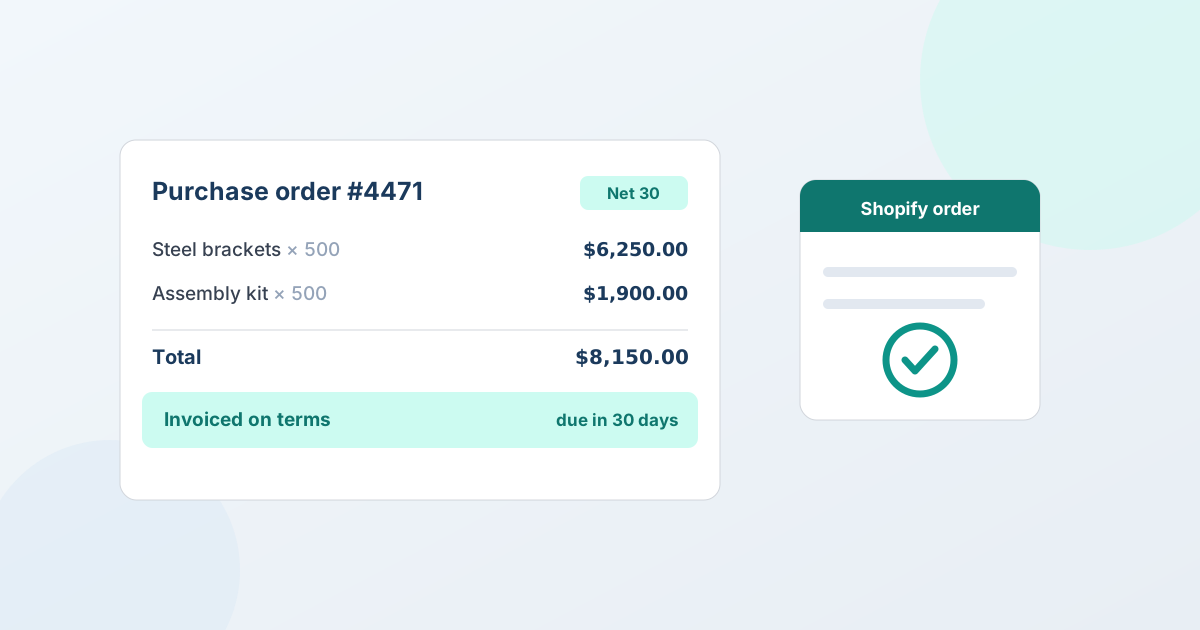
Businesses rarely pay by credit card. They issue a purchase order (PO), receive an invoice, and pay it within agreed terms - often Net 30. So a common question from B2B buyers on a Shopify store is simple: "Can we pay by PO?" The answer is yes, through Shopify's payment terms and draft orders. This is a complete guide to accepting purchase orders on Shopify: what a PO actually is, how it fits with invoices and payment terms, how to set the workflow up, and how to extend terms without getting burned.
What a purchase order is, and why B2B runs on them
A purchase order is a document a business buyer issues to authorize a purchase. It lists the items, quantities, agreed prices, delivery details, and a PO number that the buyer's finance team uses to track the commitment from approval through to payment. Crucially, the PO is created before the goods change hands - it's the buyer's formal "yes, we're buying this, here's the reference."
Companies buy this way for reasons that have nothing to do with Shopify and everything to do with how organizations spend money:
- Internal control. A PO is authorized through the buyer's own approval process, so finance knows the spend was sanctioned before the invoice arrives.
- Budgeting and matching. When your invoice comes in, the buyer's team matches it against the PO and the goods received - the "three-way match" that keeps a business from paying for things it didn't order.
- Cash flow. Businesses pay on terms (Net 30, Net 60) so they can receive and use goods before the money leaves, which is standard practice between companies that trust each other.
The upshot: for a lot of B2B buyers, "can I pay by PO?" isn't a preference, it's a requirement of their purchasing policy. If your Shopify store can't accept a PO and invoice on terms, those buyers can't buy from you the way they're allowed to. That's why B2B selling needs invoicing on terms, not just a card field at checkout.
Two different things are called a purchase order in Shopify
Before going further, it's worth separating the two, because they're opposite directions of trade and searching for one turns up the other constantly.
- Inbound - you buying stock from a supplier. Shopify has a native Purchase orders area under Products → Inventory. You record the commercial agreement with a supplier (contact details, payment terms, currency), and since June 2026 receiving a purchase order creates an inventory transfer, so what was ordered, what arrived, and what it cost stay linked. If you landed here looking for how to raise a PO to your own supplier, or wondering why purchase orders went read-only - the legacy Stocky app stopped managing inventory on 31 August 2026 and left read-only export access - that is the feature you want, and Shopify's own documentation is the right place for it.
- Outbound - your business customer buying from you. Your buyer issues you a PO, you invoice it, and they pay on terms. Shopify has no PO step in its retail checkout, but payment terms on draft orders and B2B accounts cover it.
This guide is about the second one. Everything below is the buyer-issued PO: accepting it, keeping the buyer's PO number on the record, and invoicing it on terms.
Purchase order, invoice, payment terms: how the pieces fit
These three get used loosely, so it's worth separating them, because they're different steps in one flow:
- The purchase order is the buyer's authorization to buy - issued first, carrying the PO number.
- The invoice is your request for payment - issued after (or as) you fulfill, referencing the buyer's PO.
- The payment terms are when the invoice is due - Net 30 means within 30 days of the invoice.
In sequence: the buyer issues a PO → you fulfill and send an invoice that references it → they pay within the terms. Paying "by PO" almost always means paying "on terms," because the whole point of a PO is that money doesn't move at the moment of order. So accepting POs on Shopify comes down to one capability: being able to place an order that's invoiced on terms rather than charged to a card at checkout.
Does Shopify support purchase orders?
Shopify's standard retail checkout is built for immediate card payment, so it has no PO step on its own - it assumes a shopper pays now. A draft order is different: for any customer, you can choose "Payment due later" and a term such as Net 30, so the order is invoiced rather than charged. Shopify B2B goes further: it supports payment terms (Net 15, Net 30, Net 60, or due on fulfilment) assigned to a company, and B2B orders can be placed on those terms rather than charged immediately - which is exactly what PO-based buying needs. Shopify B2B also keeps the buyer's purchase order reference on the order, so the number their finance team tracks stays with the record.
Two important clarifications:
- B2B is capability-based, not Plus-exclusive. Since Shopify's 2026 rollout extended B2B beyond Plus, stores on Basic, Grow, and Advanced with B2B enabled can use Companies and payment terms too. You don't need Shopify Plus to accept POs on terms - B2B turned on covers company accounts, and a one-off draft order can carry terms without it.
- For negotiated deals, the order is usually a draft order first. When the price isn't the catalog price - a volume deal, a custom quote, a one-off rate - the order is created as a draft order with the agreed prices, then invoiced on terms. That's the mechanism this guide uses, because most PO-based B2B involves a price that was agreed rather than published.
Two kinds of PO buyer: standing accounts vs negotiated deals
Not every PO looks the same, and the setup differs:
- Standing accounts on a price list. A company you've onboarded into Shopify B2B, with an assigned catalog and payment terms, can order at their agreed prices and pay on terms - largely self-serve. Native B2B handles this; the PO reference and terms live on the order.
- Negotiated deals. A buyer wants a price that isn't on a list - a large volume, a custom spec, a special rate - and issues a PO once you've agreed the number. This is a quote: the buyer requests a price, you propose, you agree, and the accepted quote converts to a draft order that's invoiced on their terms.
Most B2B stores handle both: standing accounts for the everyday, quotes for the big or unusual order. A quote app covers the second path - the negotiated PO - and hands the invoiced order back to Shopify.
How to accept a purchase order on Shopify, step by step
Here's the path from a buyer's request to a PO-based, invoiced order for a negotiated deal:
- Agree the price (quote if it's negotiated). If the buyer is ordering at a standing price list, native B2B handles it directly. If the price is negotiated, run it as a quote: the buyer requests a price, you send a proposal, and you agree the number - with a versioned record of what was agreed. See B2B quotes on Shopify.
- Convert the accepted quote to a Shopify draft order. The agreed prices carry over exactly - no re-keying, no second system to reconcile. See Shopify draft orders for B2B.
- Apply payment terms so it's invoiced, not charged. Set Shopify payment terms (Net 30, Net 60) on the quote and they're applied on conversion - on any quote, no B2B needed - so the order is invoiced rather than card-charged. See how to offer Net 30 on Shopify.
- Record the PO and send the invoice. The purchase order number stays on the Shopify order for reference, and the buyer pays the invoice within the terms window. When they pay, the order settles in Shopify like any other.
One record runs from the buyer's PO to a paid Shopify order - no separate invoicing system, no re-keying, and a clear reference trail their finance team can match against.
Extending payment terms without getting burned
Accepting a PO means extending credit: you fulfill now and get paid later, on trust. That's normal in B2B, but it's a decision, not an automatic yes. A few practices keep it healthy:
- Decide who gets terms. New buyers can pay up front (or a deposit) until they've established a track record; extend Net 30 to accounts you know. Terms are something you grant, not something every buyer is entitled to.
- Match terms to the relationship. Net 30 for a solid account, shorter terms or a deposit for a first-time or higher-risk order. On Shopify Plus you can even pair terms with a deposit - part-payment up front, balance on terms - to reduce exposure on a big first order. See how to take a deposit on a negotiated quote.
- Have a follow-up process. Terms track a due date; collecting is still your job. Decide in advance how you'll chase an overdue invoice and whether overdue accounts pause until they're current.
The tools handle the mechanics - the PO reference, the terms, the invoice - but the credit judgment stays with you. That's the honest division of labor, and it's covered next.
The honest boundary: what a quote app does and doesn't do
Worth being precise about, because it's easy to over-assume: a quote app like QuotWay handles the quote-to-invoiced-order part of PO buying. It turns a negotiated agreement into a native Shopify draft order and applies the Shopify payment terms picked on the proposal on conversion, so the order is invoiced on Net 30 rather than charged. It reads and applies Shopify's own payment terms - it is not a net-terms, invoicing, financing, or accounts-receivable product. It doesn't underwrite the buyer, guarantee payment, run collections, or decide who gets credit; you extend terms to the businesses you trust, and Shopify records and tracks the invoice.
Payment terms work on any quote - wholesale, DTC or B2B - on every QuotWay plan, and don't need Shopify B2B; the first time, a one-click "Enable payment terms" button grants QuotWay permission to read and set payment terms. Update (2026-09-30): this used to say payment terms on conversion needed the Enterprise plan and a B2B-capable store; they now work on every plan. For standing PO customers already set up on published price lists, native Shopify B2B already handles the terms directly - a quote app is for the negotiated deals a price list can't cover. Being clear about that keeps you from expecting an AR system where there's a quoting tool. See Shopify B2B quoting and convert to draft orders.
A worked example: a PO order from request to paid
To make it concrete, here's how a negotiated PO order runs end to end. A distributor, Northwind Supply, needs 500 units of a product you list at $15 - but at that volume they expect a better rate, and their finance team pays by PO on Net 30.
- Request. A Northwind contact signs in and requests a quote for 500 units, noting they'll issue a PO on approval.
- Proposal. You price the volume at $12 a unit and send a proposal for $6,000. Northwind's buyer counters at $11.50; you accept at $11.75, and the agreed version is recorded so there's no ambiguity later.
- PO issued. Northwind's finance team approves the spend and issues PO #4471 for $5,875, referencing your quote.
- Convert. You convert the accepted quote to a Shopify draft order at $11.75 a unit, with Northwind's Net 30 terms applied and PO #4471 kept on the order.
- Invoice and pay. You fulfill and send the invoice; Northwind matches it against PO #4471 and the goods received, and pays within 30 days. The order settles in Shopify like any other.
At no point did anyone re-key the order, chase a price across email, or reconcile a separate invoicing system - the quote became the order, the order carried the terms and the PO reference, and Shopify tracked the invoice to paid. That's the practical case for running POs through a quote-to-draft-order flow rather than a spreadsheet: fewer places for the number to drift, and a clean reference trail when finance comes asking.
Common mistakes accepting POs on Shopify
- Trying to force PO buying through retail checkout. Standard checkout is card-now; POs run through payment terms on draft orders and Shopify B2B, not the retail cart.
- Extending terms to everyone by default. Terms are credit. Start new or higher-risk buyers on up-front payment or a deposit, and grant Net 30 as trust is earned.
- Not keeping the PO reference on the order. The buyer's finance team matches your invoice to their PO. Keep the number on the Shopify order so the match is clean and you get paid on time.
- Assuming the app collects the money. The tools invoice on terms; chasing an overdue invoice is your process. Have one before you need it.
FAQ
Can you pay by purchase order on Shopify?
Yes, through payment terms. Standard retail checkout is card-only, but a draft order for any customer can carry payment terms (Net 30, Net 60, due on fulfilment), and Shopify B2B lets you assign terms to a company, so a business can order on terms and pay an invoice instead of using a card at checkout - the way PO-based buying works. Shopify B2B keeps the buyer's PO reference on the order, and it is capability-based, not Plus-exclusive.
How do I accept a purchase order on Shopify?
Agree the price (run it as a quote if it's negotiated), convert the accepted quote to a Shopify draft order with the agreed prices, apply the buyer's payment terms so the order is invoiced rather than charged, and send the invoice with the PO number on the order. The buyer pays within the terms window. QuotWay handles the quote-to-draft-order-with-terms part on any quote, on every plan.
Does Shopify have a purchase order number field?
Shopify B2B keeps the buyer's purchase order reference on the order, so the number their finance team tracks stays with the record. Standard retail checkout has no PO step; PO-based buying runs through payment terms on draft orders and B2B orders.
Is paying by PO the same as Net 30?
They're related but not identical. A purchase order is the buyer's authorization document; Net 30 is the payment term - pay within 30 days of the invoice. PO-based buying almost always uses payment terms: the buyer issues a PO, you invoice, and they pay on terms like Net 30. See how to offer Net 30 on Shopify.
Do I need Shopify Plus to accept purchase orders?
No. Shopify B2B - Companies and payment terms - is capability-based, not Plus-exclusive, so stores beyond Plus with B2B enabled can invoice on terms, and a draft order can carry terms without B2B at all. QuotWay applies payment terms on conversion on any quote, on every plan - no Plus or B2B needed. What Plus specifically adds is collecting a deposit at checkout, which you can pair with terms on a bigger first order.
Does QuotWay give my buyers credit or net terms?
No. QuotWay reads and applies Shopify's own payment terms on conversion - it isn't a financing, net-terms, or accounts-receivable product, and it doesn't decide who gets credit. You choose which businesses to extend terms to; Shopify records and tracks the invoice; QuotWay's role is turning the agreed quote into the invoiced draft order.
What's the difference between a purchase order and a sales order?
A purchase order is issued by the buyer to authorize a purchase; the order you create on your side to fulfill it - a Shopify draft order, in this workflow - is your equivalent of a sales order. They're two views of the same deal from opposite ends: the buyer's PO says "we're buying," your Shopify order says "here's what we're shipping and how it's invoiced." The PO number links them, so both finance teams reconcile the same transaction.
Where QuotWay fits
QuotWay is a B2B quote and negotiation app for Shopify, built by EFOLI. Its role in PO-based buying is the part before the invoice: turning a negotiated agreement into a native Shopify draft order and applying the Shopify payment terms picked on the proposal on conversion, so the order is invoiced on Net 30 rather than charged - with the PO reference on the record and one source of truth from agreement to paid order. It isn't a credit or AR product; it's the quoting layer that lets you agree the deal and hand a clean, invoiced order back to Shopify. The free Lite plan runs the full quote → negotiate → draft-order loop, payment terms included; see Shopify B2B quoting, the plans and pricing, or add QuotWay on Shopify.
Sources
Related articles
See how QuotWay handles this on your store.