Shopify B2B
How to offer net 30 payment terms on Shopify
By Jahangir Alam · June 21, 2026 · Updated August 28, 2026 · 8 min read
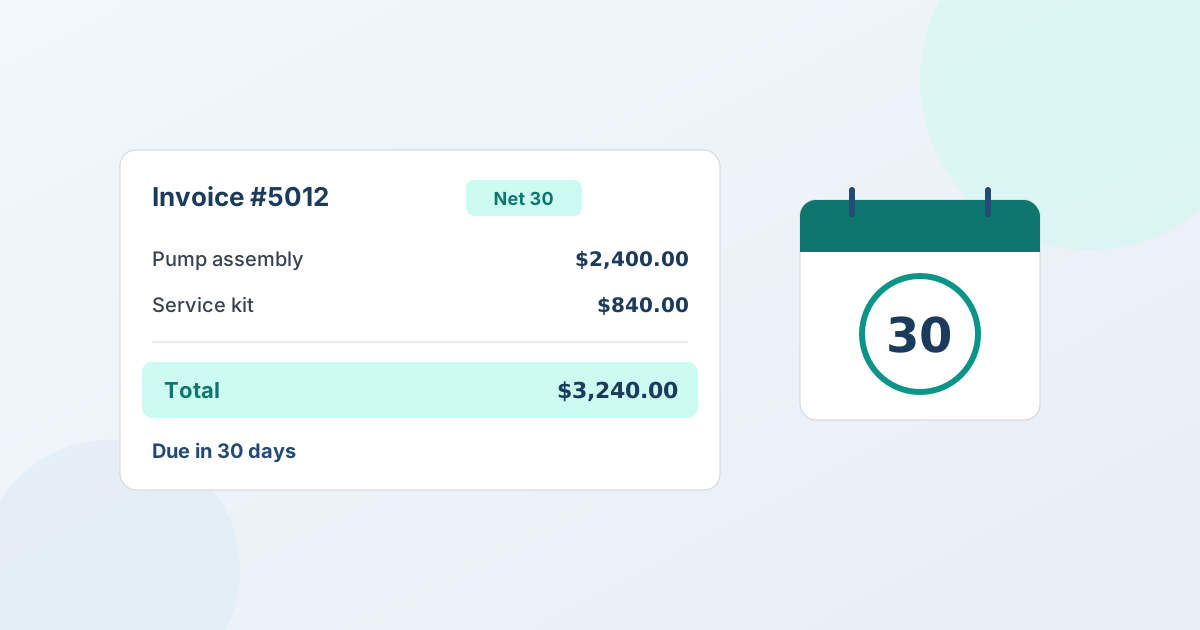
How do you offer net 30 on Shopify?
To offer net 30 on Shopify, you attach payment terms to a business buyer's order so they're invoiced and pay within 30 days of the invoice date instead of paying at checkout. Payment terms are part of Shopify's native B2B feature set, and since Shopify's 2026 rollout they work on Basic, Grow, and Advanced plans - you no longer need Shopify Plus. You set the terms on the order (or on the Company), Shopify records the due date and payment status, and the buyer pays the invoice when it comes due.
That's the short answer. The longer answer is that "net 30" touches three separate decisions - which accounts you trust with credit, how the order gets created, and how you track payment - and Shopify handles each a little differently depending on whether the order starts as a checkout, a draft order, or an accepted quote. This guide walks through all three honestly, including where a quote app fits and where it doesn't.
What "net 30" actually means
Net 30 is a payment term that says the full invoice balance is due 30 days after the invoice date. The buyer receives the goods (or the order is placed) now and pays later, within the agreed window. It's the default expectation in most wholesale and B2B relationships, because business buyers run on purchase orders and accounts payable cycles rather than paying by card at the moment of order.
A few terms you'll see alongside it:
- Net 30 / net 60 / net 90 - payment due in 30, 60, or 90 days.
- Due on receipt - payment is due as soon as the invoice is issued.
- Net 15 / 2/10 net 30 - shorter windows, sometimes with an early-payment discount (the "2/10" means 2% off if paid within 10 days).
Offering terms is a trust decision: you're effectively extending short-term credit, so it usually goes to vetted, repeat accounts rather than every new buyer.
Does Shopify support net 30 natively?
Yes. Shopify's B2B payment terms let you assign net 30 (and other terms) to Companies and to individual B2B orders. The buyer checks out or is invoiced against their terms, and Shopify tracks whether the order is pending, partially paid, or paid.
The important 2026 update: payment terms are no longer limited to Shopify Plus. Shopify's B2B layer - Companies, customer-specific pricing, and payment terms - now extends to Basic, Grow, and Advanced stores that have B2B enabled. So a non-Plus store with B2B turned on can offer net 30 the same way a Plus store does. For the broader picture of what native B2B includes, see Shopify B2B features explained.
What Shopify's payment terms are not: a lending or credit-scoring product. Shopify records the terms and the due date - it doesn't decide who's creditworthy, chase late payers for you, or advance you the cash. Those parts stay your decision and your process.
How to implement net terms on Shopify (the native way)
For a defined business account, the cleanest path is to put the terms on the Company so every order inherits them:
- Enable B2B and create a Company. In Shopify admin, set up the buyer as a Company with one or more Locations and assign their contacts.
- Set the payment terms on the Company. Assign net 30 (or your chosen term) to the Company's payment-terms setting so its orders default to invoicing rather than immediate payment.
- Create the order on terms. When the buyer checks out as that Company - or when you create a draft order for them - the order carries the net 30 terms. Shopify issues an invoice with the due date.
- Track and collect. Shopify shows the order as payment-pending until it's settled. You send the invoice (or a reminder), the buyer pays via the methods you accept, and you mark it paid.
For one-off orders, you can also set payment terms directly on a draft order without a full Company record - useful when you're invoicing a buyer who isn't set up as a formal B2B account yet. See how Shopify draft orders work for B2B for that flow.
How to offer net 30 on a quoted deal
A lot of B2B orders aren't a straight checkout - they're negotiated first. The buyer asks for pricing on a volume order, you go back and forth, you agree a number, and then the order gets created on terms. This is where a quote app fits the net 30 picture.
QuotWay is a B2B quote and negotiation app for Shopify. When a buyer accepts a quote, QuotWay converts it into a native Shopify draft order with the negotiated prices - and for organization buyers on a B2B-capable store, it applies the buyer's Shopify payment terms (such as net 30) on that conversion. So the agreed deal becomes an invoiced order the buyer can pay later, with no re-keying. On Shopify Plus stores (Professional plan and up) you can also require part-payment up front, so the deal runs as "50% down, balance net 30" - see how to take a deposit on a negotiated quote.
The honest boundaries, stated plainly:
- QuotWay applies Shopify's own payment terms on conversion - it isn't a separate net-terms, invoicing, or credit product, and it doesn't decide who gets credit.
- Payment terms on conversion are on QuotWay's Enterprise plan and require a B2B-capable store. They don't require Shopify Plus, but they do require B2B to be enabled.
- On stores without native B2B, QuotWay still quotes, negotiates, and converts to draft orders - it just can't attach Shopify payment terms, because those are a B2B-store capability.
See how conversion to draft orders works for the full quote-to-order path, and B2B on Shopify Plus if you're running native Companies and Locations.
Who should you offer net 30 to?
Because terms are credit, offer them deliberately rather than to everyone:
- Vet the account. Ask for business details, a tax or reseller ID, trade references, and time in business before extending terms. Many merchants start new accounts on due-on-receipt or card payment and graduate them to net 30 after a few clean orders.
- Set a credit limit per account. Decide the most you're comfortable having outstanding with a buyer at once, and keep terms within it.
- Match the term to the relationship. Net 30 for trusted reorders; shorter windows or prepayment for newer or higher-risk buyers; net 60 only where the margin and trust justify the slower cash cycle.
- Have a late-payment plan. Shopify tracks the due date, but collections is your process - decide upfront how you'll follow up and whether overdue accounts pause until they're current.
Terms are a sales tool: offered well, they win loyal accounts; offered carelessly, they tie up your cash. Keep the vetting tight.
Net 30 vs. net 60 vs. due on receipt
A quick way to choose the right term for an account:
- Due on receipt - lowest risk to you; best for new or unvetted buyers, or where margins are thin. The buyer pays as soon as the invoice lands.
- Net 30 - the standard for established B2B accounts. Enough breathing room for the buyer's AP cycle without parking your cash for long.
- Net 60 / net 90 - reserved for large, trusted, high-volume accounts where the order size and relationship justify the slower payment, and your cash flow can absorb it.
You can mix terms across accounts - net 30 for most, due on receipt for new buyers, net 60 for a key distributor - and apply the right one per Company or per order. For a fuller overview of how Shopify B2B payment terms work across the board, see that guide. Applying those terms when a quote converts is on the Enterprise plan with a B2B-capable store; the rest of the quote-to-order loop runs on every plan, including free Lite - see plans and pricing.
Frequently asked questions
Can you offer net 30 on Shopify without Shopify Plus?
Yes. Since Shopify's 2026 rollout, B2B payment terms - including net 30 - work on Basic, Grow, and Advanced stores that have B2B enabled, not just Plus. You assign the terms to a Company or a B2B order, and Shopify invoices the buyer and tracks the due date. Plus is no longer a requirement for offering net terms on Shopify.
Does QuotWay provide net 30 financing or credit?
No. QuotWay is a quote and negotiation app, not a lender or credit product. It doesn't advance money, run credit checks, or guarantee payment. What it does is apply the buyer's existing Shopify payment terms (such as net 30) when an accepted quote converts to a draft order - this uses Shopify's own payment-terms feature. Applying terms on conversion is on QuotWay's Enterprise plan and requires a B2B-capable store.
How do I add net 30 to a negotiated quote?
Negotiate and agree the deal in your quote app, then convert the accepted quote to a Shopify draft order with the buyer's payment terms attached. In QuotWay, converting an accepted quote for an organization buyer on a B2B-capable store applies their Shopify payment terms (such as net 30) to the resulting draft order, so the agreed order is invoiced rather than paid by card at checkout.
How do you implement net terms for B2B sales?
Implementing net terms on Shopify means three decisions and one setting. Decide who qualifies, what window to offer them, and what you'll do when an invoice runs late - then set the terms on the buyer's company in Shopify so every order they place is invoiced on that basis. For negotiated deals, the terms are applied when the accepted quote converts to a draft order, so the agreement and the invoice stay in step.
Which customers should you offer net 30 to?
Extend net 30 to businesses with a trading history you can point to - repeat orders, invoices paid on time, a verifiable company. Start newer or unvetted buyers on a shorter window, prepayment, or a deposit, and widen the terms as the relationship proves itself. Shopify records and tracks the terms, but the credit decision stays yours: no app runs that check for you. For how the terms themselves compare, see Shopify B2B payment terms.
Sources
The time-sensitive Shopify facts in this guide are verified against Shopify's official documentation:
Related articles
See how QuotWay handles this on your store.