For Shopify agencies
Build vs buy: what a custom Shopify RFQ app has to run in 2026
By Jahangir Alam · October 7, 2026 · 14 min read
- Last verified
- Shopify API
- 2026-10
- Audience
- Shopify agencies and technical merchants deciding whether to build a custom quote or RFQ system
- Scope
- Custom apps at API 2026-10 (Dev Dashboard, custom distribution, Plus gates for Functions, Flow and checkout extensions, tokens, protected data, hosting), the twenty components of an RFQ system on Shopify, one quote app's dated maintenance log, cost drivers without figures, and a build, buy or hybrid worksheet
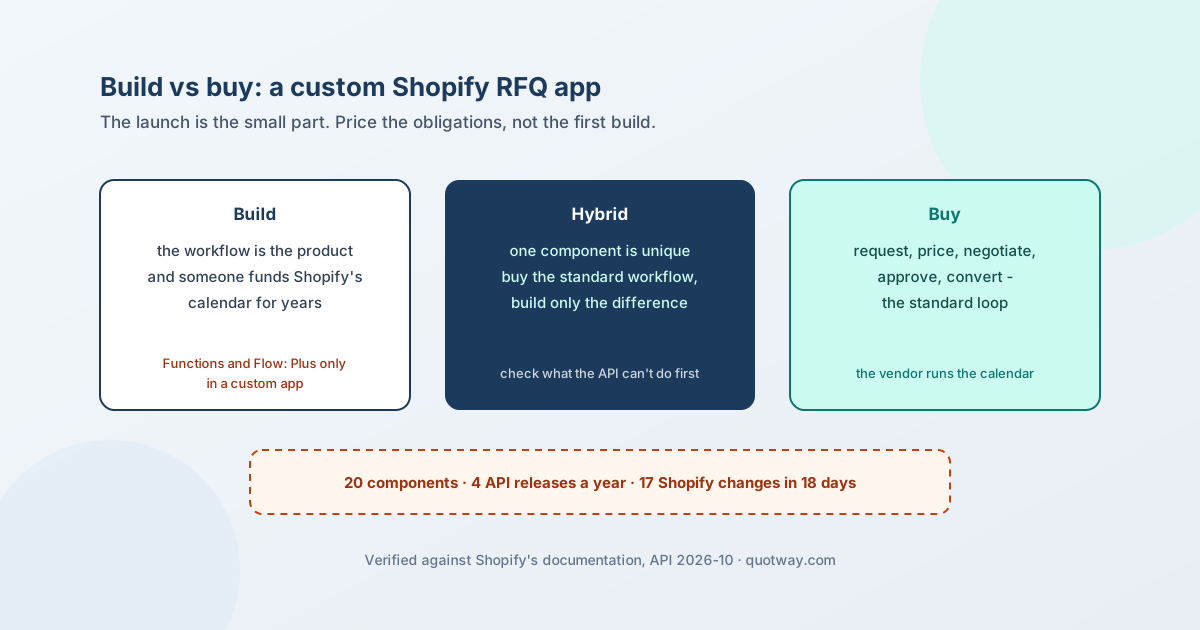
Build a custom RFQ app on Shopify when the quoting workflow itself is the product - a procurement rule, a contract-driven negotiation, a document no app produces - and someone will fund the app's upkeep on Shopify's calendar for as long as the store trades. Buy when the workflow is the standard request, price, negotiate, approve, convert loop. Build only the difference when one component is unique and the rest is standard. The hard part of the decision is rarely the first build; it is the second half of that sentence, because Shopify changes on a quarterly schedule whether or not anyone is watching.
Native B2B, quote app, custom build or CPQ is the four-way decision. This page is the deep version of its custom-build branch: what a custom app is in 2026 and where Shopify puts a Plus gate, the twenty components an RFQ system on Shopify actually consists of, a dated maintenance log from one live quote app - ours - and a worksheet to price the obligations instead of the launch.
Everything about Shopify below was checked against Shopify's own pages on 7 October 2026 at API version 2026-10; sources are at the end. The maintenance log is a QuotWay observation: one app's record over a few months, not a rate.
What a custom app is in 2026
A custom app is an app built "exclusively for your Shopify store". Since the admin route closed, it is created and managed in the Dev Dashboard and built with Shopify CLI, then installed through a link you generate. The rules that shape a build decision:
- Distribution. Custom distribution installs on one store, or on the stores of one Shopify Plus organization. Public distribution means an App Store listing and review. Shopify's own description of who uses which: "Most apps built for a specific merchant or an agency client use custom distribution."
- The choice is permanent. Shopify: the distribution method can't be changed after it is selected. An agency that may later sell the same app to other merchants has to decide that now.
- No review, no Billing API. Custom distribution skips app review, and the app can't charge through Shopify's Billing API - the agency invoices outside Shopify.
- No admin-created apps. Since 1 January 2026, custom apps can no longer be created in the Shopify admin. Existing admin-created apps keep working, but they could never use App Bridge or app extensions, so they are not a starting point for an RFQ system.
- Several clients, one codebase. Custom distribution stops at one Plus organisation, so an agency serving unrelated stores deploys one app record per client store from the same code - Shopify's deployment guide allows several app records on one codebase - or goes public.
What a custom app can use, and where Plus decides
| Surface | In a custom app | Shopify's gate |
|---|---|---|
| Admin GraphQL API and webhooks | Yes | Access scopes; some scopes need Shopify's approval (read_users, for staff identity, needs Plus or Advanced) |
| Embedded admin UI (App Bridge) | Yes | - |
| Theme app extensions (storefront button, blocks, app embed) | Yes | Size limits per extension |
| Customer account UI extensions (the buyer's portal) | Yes | 64 KB per extension, 128 KB for a full page |
| Checkout UI extensions on the information, shipping and payment steps | Yes | Only on Shopify Plus - for every app, not just custom ones |
| Shopify Functions (validation, cart transform, discounts) | Yes | Only on Plus stores for custom apps; public apps use them on any plan |
| Shopify Flow triggers and actions | Yes | Only on Plus stores for custom apps |
| Sidekick app extensions | Not stated | Shopify's Sidekick pages don't say either way |
| Billing API | No | Custom distribution can't use it |
| Built for Shopify | Not applicable | An App Store programme with install and review prerequisites |
Shopify states the extension rule negatively: app extensions are unavailable only to admin-created apps. A CLI-built custom app can use them, within the gates above.
Tokens, data and hosting
Access tokens. An embedded app gets its token by token exchange; a non-embedded app by the authorization code grant; a server-side integration that only touches stores in your own organisation can use the client credentials grant, which issues 24-hour tokens without a merchant approval screen. Expiring offline tokens (one hour, refreshable for 90 days) become mandatory for public apps on 1 January 2027 - and Shopify says "this doesn't apply to custom apps or apps created by merchants", whose tokens stay valid until the app is uninstalled or its client secret is revoked. Opt in to expiring tokens anyway: a permanent credential held by an agency is exactly what a store's security review is told to find.
Scopes. "Any scope that writes a resource also grants read access to it" - and Shopify's granted-scope list then shows only the write scope. That one sentence caused a production bug in our own app (below). read_orders covers the last 60 days; older orders need read_all_orders, which has to be requested.
Customer data. Protected customer data at Level 1 and Level 2 is "always available" to custom apps without review, where public apps need review; Shopify "encourage[s] all apps" to meet the same requirements, and the Help Center adds that "Custom Level 2 PII apps" need the Grow plan or higher. The three compliance webhooks are an App Store requirement, but Shopify sends customers/data_request to any installed app with customer or order access, and the merchant's data-protection law applies regardless - so a custom build implements the handlers too.
Hosting. "Shopify hosts only your extension's code." The backend, its database, its queue and every endpoint Shopify calls - webhook receivers with a five-second timeout, the app proxy behind the storefront form - run on hosting you choose and keep up.
The twenty components of an RFQ system on Shopify
Shopify has no quote object. A draft order is replaced wholesale on update and is deleted after a year without an edit, so it can carry the agreed deal at the end but not the negotiation before it (why a draft order is not a quote). Everything else is yours to build:
| # | Component | Shopify surface it rests on | The hard part |
|---|---|---|---|
| 1 | Request capture: button, form, cart quote | Theme app extension; app proxy for signed submissions | Eligibility per buyer and company without a slow round trip; theme variety; storefront weight |
| 2 | Price visibility | Theme app extension; a theme Liquid condition to keep prices out of the HTML | A CSS or script hide is visual only (hiding prices) |
| 3 | Quote record and immutable versions | Your database | A sent version never changes; a change is a new version |
| 4 | Negotiation and counter-offers | Your database and a buyer surface | Whose turn it is; a line the buyer didn't pick stays open, not lost |
| 5 | Starting price | contextualPricing for the company location (with auditTrail from 2026-10) |
Catalog precedence; never a second price list (the starting price) |
| 6 | Totals and money | Your code; draftOrderCalculate for Shopify's view |
Store the agreed figure; never re-sum displayed rows |
| 7 | Approvals and audit | Your database; staff identity through an approval-gated scope | Enforcement on the server, decisions append-only (approval matrix) |
| 8 | Documents | Your backend | One document per version; what a quote must contain |
| 9 | Email notifications | Your backend and an email provider | Deliverability, suppression, safe re-sends |
| 10 | Buyer portal | Customer account UI extension and a backend you host | Authenticating the extension to your backend; guests without accounts (building the portal) |
| 11 | Conversion to a draft order | draftOrderCalculate, draftOrderCreate with purchasingEntity, price overrides, payment terms |
No idempotency key on draftOrderCreate, even at 2026-10 (exactly one draft order); drift between quote and conversion (17 failure modes) |
| 12 | Webhooks and reconciliation | orders/*, draft_orders/*, app/* and compliance topics |
Duplicates, ordering, the order that arrives before your own write, a sweep for missed deliveries |
| 13 | Admin UI | Embedded app (App Bridge, Polaris), optional admin blocks | Every screen is yours to build and keep in step with Shopify's admin |
| 14 | Staff permissions | Your own model | Who may send, approve and convert (sales-rep quoting) |
| 15 | Multi-currency and markets | Contextual pricing per country; presentment currency on the draft | Locking the rate at quote time |
| 16 | Translations | Locale files per extension, plus your own strings | Every buyer-facing string, in every surface |
| 17 | Analytics | Your database - Shopify's reports don't see quotes | Offered versus accepted value; currency mix |
| 18 | Integrations and automation | Flow extensions (only on Plus stores in a custom app), your own API and webhooks, Sidekick extensions | Each surface has its own versioning (ERP, CRM and PIM patterns) |
| 19 | Compliance and data | Compliance webhooks, protected customer data | Redaction across every table that holds buyer data |
| 20 | Hosting and operations | Your hosting, database, queue, error tracking | Uptime of the endpoints Shopify calls; backups; secrets |
For scale, here is one shipped quote app's shape - ours, read from its repository on 7 October 2026: 27 app extensions (one theme app extension with an app embed and four blocks; two customer account UI extensions; one admin block; 19 Flow extensions - ten triggers, three actions, six templates; three Sidekick extensions), 10 webhook topics (the three compliance topics plus seven), and 53 data models. In a custom app on a non-Plus store, all 19 Flow extensions would be unavailable.
What maintaining one actually looks like
This is one app's record, kept by its maintainers. It is not a rate - but every item arrived on Shopify's schedule, not ours.
Eighteen days of Shopify changes. Re-checking our Shopify facts for the 2026-10 release, we logged 17 dated changes on the B2B and app surface between 20 September and 7 October 2026. Among them:
- Sidekick began invoking intent-only extensions (28 September).
- A new discount app intent (30 September).
- API 2026-10 went stable, with 2027-01 as release candidate and 2025-10 out of support from 16 October.
priceRulewas removed from draft-order discount warnings, andorderUpdatestarted recalculating tax when the shipping address changes.- Market parent and child relationships arrived.
- The Customer Account API lost
lastIncompleteCheckout. - Events became generally available, alongside classic webhooks.
- Buyer-requested order edits arrived.
The same pass corrected nine of our own published claims. The maintainer's understanding drifts too, not only the API; the re-verification records both.
A version upgrade is an audit, not a config edit. Our move from API 2026-04 to 2026-07 changed 40 files: library versions, the API version in all 24 extension configurations, and a regenerated schema with every admin operation validated against it. Shopify's changelog showed no breaking change on our surface. The schema validation still found two operations that had been invalid all along - a draft-order lookup asking for a field that doesn't exist, which made one reconciliation job fail on every row, and a mutation called with the wrong argument shape. For 2026-10, a search of the code for every removed or deprecated field returns nothing, so there is no known break - and the upgrade still touches those 24 configurations and the app's own pins.
The implied scope. On 30 September our payment-terms check required both read_payment_terms and write_payment_terms in the granted scopes. Shopify lists only the write scope when both are granted, because writing implies reading - so stores that had granted the permission were treated as if they hadn't, and converting a quote with payment terms was blocked until a hotfix shipped the same day. The test fixtures had used a scope format Shopify never sends.
Validation errors at conversion. In July, draftOrderCalculate rejected every well-formed company quote with "Cannot send both customer and purchasing_entity" until the two were made mutually exclusive. The next error was "An issue date is required with net payment terms": net terms need a payment schedule, so the convert screen had to ask the merchant for an issue date.
A library advisory. In August, a security advisory against Shopify's app library (app proxy HMAC validation) meant upgrading to the patched major version. Our own proxy check wasn't affected, but the upgrade required a newer Node.js runtime and a code change for a removed property.
The storefront budget. The storefront script is held to 108 KB by a bundle-size check. It is 105,050 bytes today, about three times Shopify's suggested 10 KB compressed, and the budget was raised ten times in four weeks as features shipped in mid-2026 (what that costs a store).
Scopes and permissions. Between May and July 2026, the requested scopes changed repeatedly:
- A scope that doesn't exist was rejected by deploy validation.
- The B2B scopes were made required, then reverted to optional, because requiring them blocked installs by staff without permission to view company data.
- A restricted staff scope was rejected without Shopify's approval.
- Two unused scopes were removed before App Store submission.
A custom app skips the App Store half of this, not the rest.
The budget follows from the log: one API audit per quarter at minimum, a scope and permission review whenever a feature touches a new resource, and a reconciliation job from day one. Shopify B2B technical debt keeps the dated surfaces in one calendar.
What drives the cost
We publish no cost figures - there is no dataset behind any we could give. The drivers are countable, though, and each is an ongoing obligation rather than a launch task:
- Surfaces. Every extension type - storefront, customer account, admin, Flow, checkout - has its own limits and its own upgrade path.
- Plus dependencies. Functions, Flow extensions in a custom app and checkout-step extensions only exist on Plus stores.
- Stores and organisations. One app record per unrelated store; distribution can't change later.
- The buyer portal. A customer account extension plus an authenticated backend you host.
- Compliance and data. Redaction handlers and protected-data safeguards across every table.
- Integrations. Each external system adds a sync, a reconciliation and a failure mode.
- The calendar. Four API releases a year, each supported for at least 12 months, then a silent fall-forward to the oldest supported version.
- Operations. Hosting, monitoring and someone on call for endpoints Shopify expects to answer within seconds.
The build, buy or hybrid worksheet
Copy the table, one row per component from the inventory above, and fill it in with the client:
| Component | Build / buy / hybrid | Owner | Shopify surface | Ongoing obligation | Plus-gated? | Who is paged when it breaks |
|---|---|---|---|---|---|---|
| Request capture | Theme app extension, app proxy | Theme compatibility, script weight | No | |||
| Conversion to a draft order | Admin API | Idempotency, drift, quarterly API audit | No | |||
| Checkout rule (for example a PO-number requirement) | Functions | Function API versions | Yes, in a custom app | |||
| Approvals and audit | Your database, staff scope | Enforcement, scope approval | Staff scope: Plus or Advanced | |||
| … |
Then answer seven questions:
- Is the workflow unique, or one component? One component means hybrid.
- Who funds the API audit every quarter for the life of the store?
- Is the store on Plus, and does the design need Functions, Flow extensions or checkout-step extensions?
- How many stores, in how many organisations? Custom distribution covers one Plus organisation, and the choice is permanent.
- Must buyers act in their customer account? That is an extension plus a backend you host.
- Who owns compliance - the redaction webhooks and protected-data handling?
- What is the exit? Who holds the code, the data and the credentials if the agency relationship ends - remembering that a custom app's token doesn't expire on its own.
The hybrid route
Buy an app for the standard workflow and build only the unique part - an ERP sync, a headless intake, a pricing service whose output a person then applies. The condition is that the app exposes the events and endpoints the unique part needs, so check what its API cannot do before scoping.
QuotWay's REST API and signed webhooks, as an example stated exactly: available on the Enterprise plan, including during the 14-day free trial. The API reads quotes with their lines, totals and events, creates quote requests, posts messages, sends a proposal a person already priced, lists documents and reads analytics. It cannot set or change prices, edit lines, accept or decline for the buyer, or convert a quote to a draft order, and webhook payloads carry no buyer personal data. What you can build with the QuotWay API walks through six integrations; the evaluation checklist is the test for any vendor's API. Plans are on the pricing page, and the API itself is described on the API and webhooks page.
FAQ
What is a Shopify custom app?
An app built for one store, or for the stores of one Shopify Plus organisation, created in the Dev Dashboard and installed through a link you generate. It has no App Store listing and no app review. Since 1 January 2026 it can no longer be created in the Shopify admin.
How do I create a custom app now that the admin option is gone?
Create the app in the Dev Dashboard - with Shopify CLI if it has a UI or extensions - choose custom distribution, and generate the install link for the store. Apps created in the admin before 2026 keep working.
What is the difference between a custom app and a public app?
A custom app installs on one store or one Plus organisation, skips review, can't use the Billing API, and can use Functions and Flow extensions only on Plus. A public app installs on any store through the App Store, goes through review, can bill through Shopify and can use Functions on any plan. The choice can't be changed later.
Can a custom app use Shopify Functions?
Yes, but only on a Shopify Plus store, and the same applies to its Flow extensions. Checkout UI extensions on the information, shipping and payment steps are available only on Shopify Plus, for every app.
Do custom apps need app review, or can they be Built for Shopify?
Custom distribution has no app review. Built for Shopify is an App Store programme with install and review prerequisites, so it doesn't apply to a custom app.
How does a custom app get an access token?
An embedded app uses token exchange; a non-embedded app uses the authorization code grant; a server-side integration on your own organisation's stores can use the client credentials grant, which issues 24-hour tokens. Custom apps are exempt from the 2027 expiring-token requirement, but opting in is safer.
Who hosts a custom app?
You do. Shopify hosts only the extensions' code - theme blocks and UI extensions. The backend, its database and every endpoint Shopify calls run on hosting you choose and maintain.
How much does a custom Shopify RFQ app cost?
We publish no figures. The cost is set by the surfaces you build, the Plus dependencies, the number of stores, the buyer portal, compliance, integrations and hosting - and by the API audit every quarter for as long as the store trades.
Can we buy an app and build only the unique part?
Yes, if the app exposes the events and endpoints the unique part needs. Check what its API can't do first: QuotWay's API, for example, is Enterprise-only and can't set prices, edit lines, accept for the buyer or convert.
Sources
Shopify pages, read on 7 October 2026 at API version 2026-10:
- Custom apps - built exclusively for one store; Level 2 personal data and plans
- About app distribution and select a distribution method - custom versus public, one Plus organisation, permanent choice, no review, no Billing API, admin-created apps and extensions, Shopify's "most apps built for a specific merchant" sentence
- Changelog: legacy custom apps can't be created after 1 January 2026 - posted 30 October 2025; existing apps keep working
- Shopify Functions - custom apps with Functions only on Plus
- Shopify Flow for apps - Flow extensions in custom apps only on Plus
- Checkout UI extensions - information, shipping and payment steps on Plus
- Customer account UI extensions - size limits; "Shopify hosts only your extension's code"
- Authentication and authorization, client credentials grant and offline access tokens - token exchange, authorization code, 24-hour client credentials, the expiring-token exemption for custom apps
- Access scopes - write implies read;
read_all_orders; approval-gated scopes - Protected customer data and privacy law compliance - availability for custom apps; compliance webhooks
- API versioning and release notes 2026-10 - quarterly releases, support windows, fall-forward, the 2026-10 changes
- Deploy your app - hosting providers; several app records on one codebase
- Built for Shopify requirements - an App Store programme with install and review prerequisites
Our own record: the 2026-10 re-verification of the Shopify B2B reference, and the QuotWay app's repository history, read on 7 October 2026 - described here without internal names.
Related articles
- For Shopify agenciesWhy B2B buyers can't see their prices on Shopify: a diagnostic by symptom14 min read
- For Shopify agenciesDoes a quote app slow down a Shopify store? What runs, measured12 min read
- For Shopify agenciesShopify B2B security review: a 40-point checklist for stores and quote apps15 min read
See how QuotWay handles this on your store.