Shopify B2B
Shopify B2B payment terms: Net 30, Net 60, and how they work
By Jahangir Alam · August 20, 2026 · Updated October 7, 2026 · 11 min read
- Last verified
- Shopify API
- 2026-10
- Audience
- Shopify merchants offering invoice terms to business buyers
- Scope
- Payment terms in Shopify B2B at API 2026-10: the enumerated term types, assignment per company location, how terms behave on an order and on a converted quote, and the credit questions terms raise
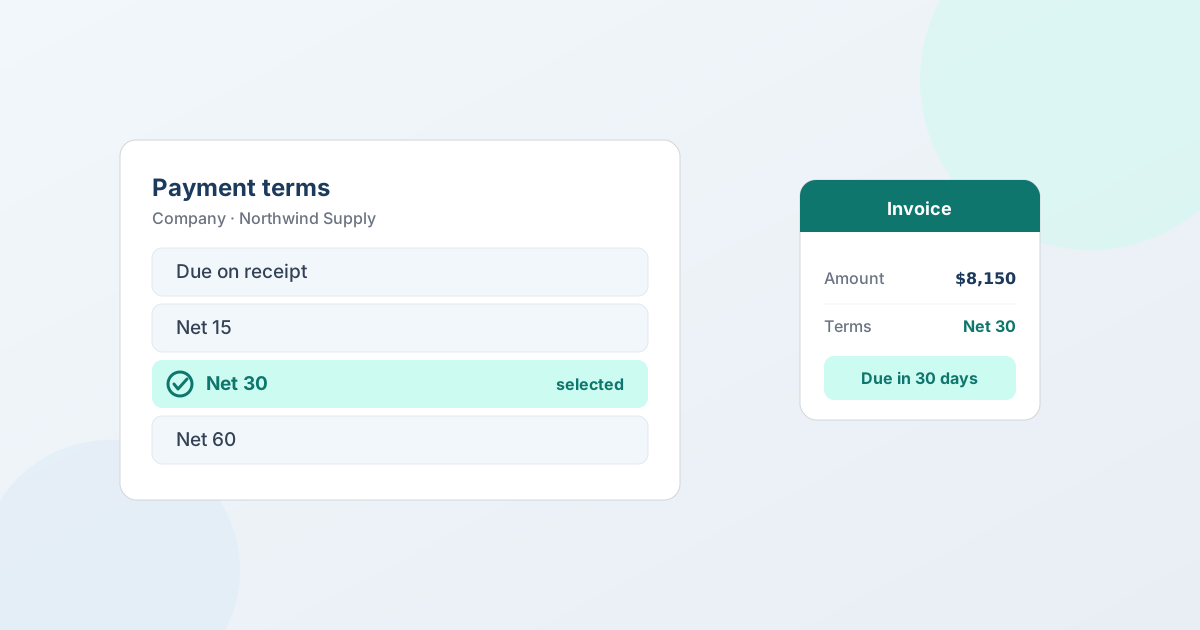
A Shopify B2B payment term is the agreement on when an invoice is due - Net 7 through Net 90, due on fulfilment, or a fixed date. You assign it to a company location, and that company's orders are then placed on terms instead of being charged at checkout, which is how business buyers already expect to buy. Getting payment terms right is what turns a store that can sell to businesses into one that businesses can actually buy from. This is a complete guide to Shopify B2B payment terms: what they are, which ones Shopify supports, how they work on an order, how to apply them to a negotiated quote, which term to offer whom, and how to extend terms without getting burned.
What payment terms are, and why B2B needs them
A payment term is the agreement on when an invoice is due. "Net 30" means the buyer pays within 30 days of the invoice; "due on receipt" means as soon as the invoice is issued. It's a short phrase that carries a lot of weight, because it's the difference between a one-off transaction and an ongoing business relationship.
Businesses expect terms for reasons that have nothing to do with your store and everything to do with how organizations operate:
- Cash flow. Companies receive and use goods before the money leaves, which is standard practice between businesses that trust each other. Paying by card up front ties up working capital they'd rather deploy elsewhere.
- Approval and PO processes. A business buyer often issues a purchase order, receives the goods, matches the invoice, and then pays - a sequence that assumes an invoice with a due date, not an instant charge.
- Accounting. Accounts-payable teams are built to process invoices on terms. A card receipt doesn't fit that machinery.
- Scale. A buyer placing large or frequent orders can't run each one through a personal card. Terms are how volume buying actually works.
Retail assumes payment at the moment of purchase; B2B assumes payment follows an invoice on agreed terms. A store that can only take a card at checkout is, from a business buyer's point of view, not fully open for business. Payment terms are how you meet buyers where their purchasing process already is - and often the deciding factor in whether a company can buy from you at all.
"Payment terms" and "net terms" are the same thing
Worth settling early, because the two phrases are used interchangeably and searched for separately. B2B net terms and B2B payment terms describe the same arrangement: the buyer receives an invoice and pays within an agreed window rather than at checkout. "Net terms" is the more common phrasing in wholesale and distribution; "payment terms" is what Shopify's own admin calls the setting.
The only nuance is that "net terms" usually implies a number of days - net 30, net 60 - whereas "payment terms" also covers due-on-receipt and fulfilment-based due dates, which aren't a net window at all. Everything below applies to both.
The payment terms Shopify B2B supports
Standard Shopify checkout is built for immediate card payment. Payment terms come in two ways: on a draft order, for any customer, by choosing "Payment due later" and a term; and through Shopify B2B, assigned to a company, so that company's own orders can be placed on terms rather than charged at checkout. The common terms you'll work with:
- Net terms - pay within a set number of days. Shopify offers Net 7, Net 15, Net 30, Net 45, Net 60 and Net 90. Net 30 is the B2B default and the one most buyers expect.
- Due on fulfilment - the clock starts when the order ships rather than when it is placed, which suits buyers whose accounting is tied to receipt of goods.
- A fixed date - one calendar date, for buyers who settle on a schedule rather than per order.
- Due on receipt - payment is due on the date you send the invoice. The Admin API enumerates it alongside net, due on fulfilment and fixed date, and Shopify's draft-order help lists it among the terms you can pick; the B2B payment-terms page, which covers company locations, lists the other three.
In Shopify B2B, the key point is that terms attach to the company location, not to an individual email. Shopify's own wording is "you can set payment terms for each company location", with a shortcut for applying one set to every location in a company - so a customer with a head office on Net 60 and a branch on Net 30 is a normal setup, not a workaround. When a contact from that company signs in and orders, the order can be placed under the company's assigned terms automatically. Everything else about B2B - the catalog, the price list, the tax handling - hangs off the same company model, so the buyer's whole commercial relationship, terms included, travels with them. And because Shopify B2B is capability-based rather than Plus-exclusive since the 2026 rollout, stores beyond Plus with B2B enabled can assign payment terms too.
How payment terms work on a Shopify B2B order
The flow is straightforward once terms are set:
- The order is placed on terms. Instead of charging a card, the order is created with the company's payment terms attached, so it's invoiced rather than paid immediately.
- An invoice is issued with a due date. The invoice references what was ordered - and, for purchase-order buyers, keeps the PO number on the record so the buyer's finance team can match it.
- The buyer pays within the window. Net 30 gives them 30 days; due on receipt means as soon as the invoice is issued. They pay by whatever method you've agreed - often bank transfer for larger accounts.
- The order settles. Once paid (or marked paid), the order completes in Shopify like any other, and flows into your reporting and fulfillment the same way.
Nothing here needs a separate invoicing system. The terms live on the Shopify order, the invoice comes from Shopify, and the paid order is a normal Shopify order - one source of truth from placement to paid. For the specific mechanics of the most common term, see how to offer Net 30 on Shopify, and for buyers who pay by purchase order, see how to accept purchase orders on Shopify.
Applying payment terms to a negotiated quote
Standing accounts on a price list can order on terms directly. But a lot of B2B is negotiated - a volume deal, a custom job, a special rate - where the price isn't the catalog price. There, the order is usually created as a draft order with the agreed prices, and the terms are applied when it's created.
This is where a quote app fits. In QuotWay you pick the payment terms on the proposal - Due on receipt, Due on fulfillment, Net 30/60/90 or your store's other Shopify terms - and the buyer sees them on the proposal, in their customer account, in the buyer portal and on the PDFs. When you convert the accepted quote, the draft order is created with those terms, the same as choosing "Payment due later" by hand, so the negotiated order is invoiced on Net 30 (or Net 60, or due on fulfilment) rather than charged. The convert screen asks for the invoice issue date, and one set of terms covers the whole quote even when it's split into several draft orders. The negotiated line prices are locked in, drift detection re-checks tax and shipping, and the terms ride onto the draft order - so "Net 30 on the full amount" runs natively, and on Shopify Plus stores (Professional plan and up) so does "50% down, balance Net 30". QuotWay reads and applies Shopify's own payment terms; it doesn't invent a separate terms system. This works on any quote - wholesale, DTC or company-aware B2B - on every QuotWay plan, and doesn't need Shopify B2B: the first time, a one-click "Enable payment terms" button grants QuotWay permission to read and set payment terms. Company-aware quoting itself (Companies, Locations and catalog prices) is on the Enterprise plan with a B2B-capable store. Update (2026-09-30): this section used to limit payment terms to company-aware quotes on the Enterprise plan; they now work on every quote and every plan. See Shopify B2B quoting and convert to draft orders.
Which payment term should you offer?
Terms are a lever, not a default you set once. A few guidelines:
- Net 30 for established accounts. It's the B2B norm and what most buyers expect. Offer it to companies with a track record with you.
- Due on receipt or a deposit for new or higher-risk buyers. Until an account has established itself, invoicing on delivery - or taking part-payment up front - keeps your exposure sensible. On Shopify Plus you can pair terms with a deposit (part now, balance on terms) to de-risk a large first order. See how to take a deposit on a negotiated quote.
- Net 60 as a relationship lever. Longer terms are a real incentive for a strategic account or a big commitment - but they're also credit you're extending, so reserve them for accounts you trust and orders worth it.
- Match the term to the order, not just the buyer. A trusted account placing an unusually large order might still warrant a deposit or shorter terms on that specific deal. Terms can flex per relationship and per order.
The right term balances winning the deal against the risk of carrying it. Generous terms win business; they also mean you're financing the buyer until they pay - which is exactly why the next section matters.
Payment terms are not a credit product
Worth stating plainly, because it's easy to over-assume: offering payment terms means you are extending credit to the buyer. Shopify B2B (and a quote app like QuotWay) provides the mechanism - placing an order on terms, invoicing it, tracking the due date - but it is not a financing, net-terms, or accounts-receivable product. It doesn't underwrite the buyer, guarantee that you'll be paid, run collections, or decide who qualifies for credit.
QuotWay's role is narrower still: it reads and applies Shopify's own payment terms when a quote converts to a draft order. It records what was agreed and hands a clean, invoiced order back to Shopify. The credit decision - which businesses get terms, how long, and how much you're willing to carry - stays with you. Being clear about that keeps you from expecting a financing system where there's a quoting and invoicing tool. If you need actual trade credit or guaranteed payment, that's a separate financial product; payment terms are you choosing to trust a buyer, recorded and tracked in Shopify.
Extending terms without getting burned
Since terms are credit, treat them like it:
- Grant terms deliberately. New buyers can pay up front or on receipt (or leave a deposit) until they've earned Net 30. Terms are something you extend to accounts you know, not a default every buyer gets.
- Use deposits to cap exposure. On a large or first-time order, part-payment up front plus terms on the balance limits how much you're carrying if something goes wrong.
- Have a follow-up process. Terms track a due date, but collecting is still your job. Decide in advance how you'll chase an overdue invoice and whether overdue accounts pause until they're current.
- Watch concentration. If one account carries a large share of your outstanding invoices on terms, that's a risk worth managing before it becomes a problem.
The tooling handles the mechanics; the judgment stays with you. Done well, terms are one of the strongest tools you have for building repeat B2B business - the buyers you extend them to tend to consolidate their orders with you.
Do you need Shopify Plus for payment terms?
No. Shopify B2B - Companies and payment terms - is capability-based, not Plus-exclusive. Since the 2026 rollout extended B2B beyond Plus, stores on Basic, Grow, and Advanced with B2B enabled can assign payment terms too, and a draft order for any customer can carry terms without B2B at all. QuotWay's payment terms need neither Plus nor B2B: they work on any quote, on every QuotWay plan. What Plus adds here is collecting a deposit at checkout, which you can pair with terms to reduce risk on a big order; for the rest of the plan split, see do you need Shopify Plus for B2B?.
Terms from the merchant's side: you're the lender
Payment terms are usually framed as the buyer's benefit, but there's a mirror image worth seeing clearly: when you offer Net 30, you're financing the buyer for 30 days. The goods leave, the money doesn't arrive for a month, and in between you've funded their purchase out of your own working capital. For a growing B2B store, the sum of everything you've shipped but not yet been paid for - your accounts receivable - becomes a real number that can tie up cash you need for inventory and payroll.
That's not a reason to avoid terms; terms win business, and most B2B can't happen without them. It's a reason to offer them deliberately: know how much you're carrying at any time in open invoices on terms, watch how long invoices actually take to pay versus the term you granted, and use deposits on the largest orders so you're not financing the whole thing yourself. Terms are a growth tool and a cash-flow cost at the same time - the merchants who use them best treat them as both, and price the cost of carrying receivables into how generous they're willing to be.
Common mistakes with B2B payment terms
- Offering the same terms to everyone. Terms are credit. Net 30 for a proven account and due-on-receipt for a first-timer is prudent, not rude.
- Confusing terms with a payment guarantee. The order being "on terms" doesn't mean you'll be paid - it means you've agreed to invoice and wait. Vet the buyer accordingly.
- No process for overdue invoices. A due date without a follow-up plan is a wish. Decide how you'll chase and when accounts pause.
- Assuming you need Shopify Plus. B2B and payment terms are capability-based now; check whether B2B is enabled on your store rather than which plan badge it carries.
The Shopify facts in this post are kept current in the Shopify B2B reference (Payment terms and deposits), re-verified at every Shopify Edition and quarterly API release.
FAQ
What are B2B net terms?
B2B net terms are an agreement to pay an invoice within a set number of days of it being issued - net 30, net 60, net 90 - rather than at checkout. They're the same thing Shopify's admin calls payment terms. In Shopify B2B they attach to a company, so a buyer's terms travel with their account; on a draft order you can also set them per order, for any customer.
What payment terms does Shopify B2B support?
Shopify B2B supports payment terms assigned to a company location - Net 7, Net 15, Net 30, Net 45, Net 60 and Net 90, plus due on fulfilment and a fixed date. When a company contact orders, the order can be placed on that company's terms rather than charged at checkout. Net 30 is the most common default.
How do I set up payment terms on Shopify?
For a standing account, enable Shopify B2B, set up the buyer's Company, and assign the company its payment terms alongside its catalog and price list; orders that company places are then invoiced on those terms. For a one-off order, create a draft order, choose "Payment due later" and pick the term - no B2B needed. For a negotiated deal, pick the terms on the quote and convert the accepted quote to a draft order with them - QuotWay does this on any quote, on every plan. See how to offer Net 30 for the step-by-step.
Do I need Shopify Plus for B2B payment terms?
No. Shopify B2B - including payment terms - is capability-based, not Plus-exclusive since the 2026 rollout, so stores beyond Plus with B2B enabled can use them. The reliable check is whether B2B is turned on for your store, not which plan you're on.
What's the difference between Net 30 and due on receipt?
Both describe when an invoice falls due, but the window differs: due on receipt means payable as soon as the invoice is issued, while Net 30 gives them 30 days from the invoice. Both are Shopify payment terms: its term types are due on receipt, due on fulfilment, Net 7 through Net 90, and a fixed date. Net 30 or Net 60 extends more credit and is the norm for established accounts.
Does QuotWay provide net terms or credit?
No. QuotWay reads and applies Shopify's own payment terms when a quote converts to a draft order - it isn't a financing, net-terms, or accounts-receivable product, and it doesn't decide who gets credit. You choose which businesses to extend terms to; Shopify records and tracks the invoice; QuotWay turns the agreed quote into the invoiced order.
Can I apply payment terms to a quoted (negotiated) order?
Yes, on any quote. You pick the payment terms on the proposal, and when you convert the accepted quote QuotWay creates the draft order with those Shopify payment terms, so a negotiated deal is invoiced on Net 30 (or Net 60, or due on fulfilment) rather than charged. This works on every QuotWay plan, for wholesale, DTC and B2B company quotes alike, and doesn't need Shopify B2B; the negotiated prices are locked in and the terms ride onto the order.
Where QuotWay fits
QuotWay is a B2B quote and negotiation app for Shopify, built by EFOLI. Its part in payment terms is the negotiated deal: it turns an agreed quote into a native Shopify draft order carrying the Shopify payment terms picked on the proposal, so the order is invoiced on Net 30 rather than charged - one record from agreement to paid, with the terms and any PO reference on it. It reads and applies Shopify's terms rather than acting as a credit or invoicing product, so the mechanics are handled and the credit decision stays yours. The free Lite plan runs the full quote → negotiate → draft-order loop, payment terms included; see Shopify B2B quoting, the plans and pricing, or add QuotWay on Shopify.
Sources
Shopify pages re-verified on 7 October 2026, unless marked otherwise:
- Shopify Help Center: B2B on Shopify (read 30 September 2026)
- Shopify Help Center: Setting up payment terms in B2B
- Shopify Help Center: Creating draft orders (payment terms on any draft order)
- Shopify Admin API: PaymentTermsType (receipt, fulfilment, net and fixed types)
Related articles
See how QuotWay handles this on your store.