Stratégie B2B
Connexion de gros sur Shopify : comptes professionnels et prix après connexion
Par Jahangir Alam · 21 juin 2026 · Mis à jour 23 août 2026 · 8 minutes de lecture
Comment fonctionnent les comptes professionnels sur Shopify ?
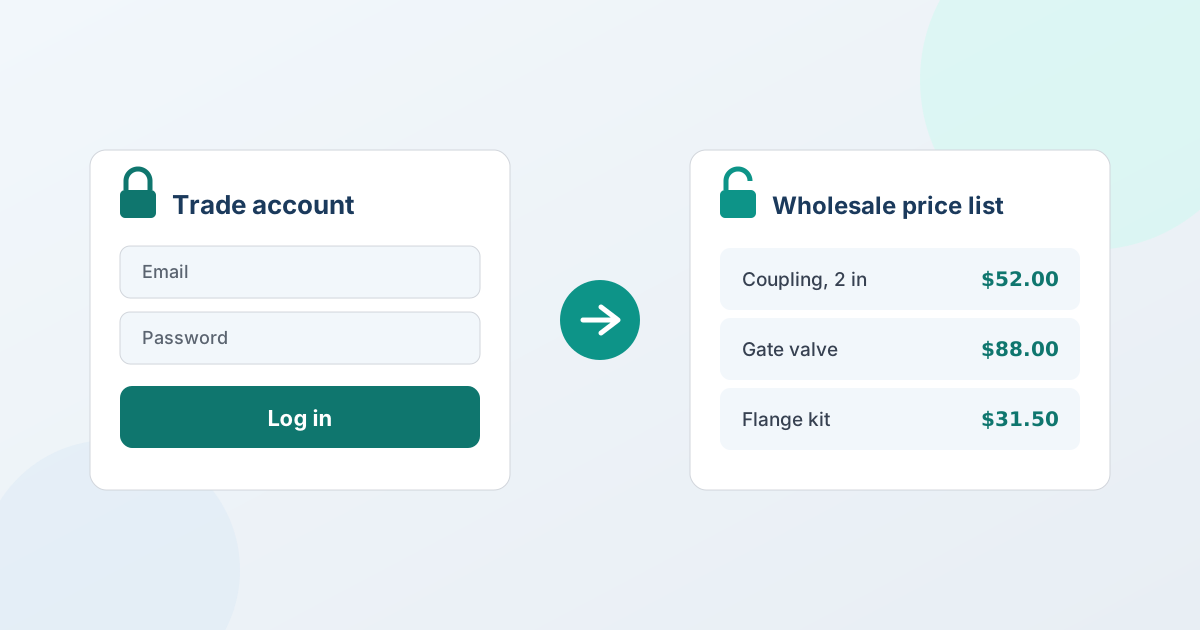
Un compte professionnel est un acheteur d'entreprise vérifié qui se connecte pour voir vos tarifs de gros et commander à des conditions professionnelles, plutôt que de payer le prix public. Sur Shopify, vous en créez un en approuvant l'acheteur, en rattachant des tarifs professionnels à son compte, et en réservant l'affichage des prix aux seuls acheteurs professionnels connectés - pendant que les clients particuliers voient votre boutique habituelle. Les deux façons natives de rattacher les prix sont Shopify B2B (une entreprise avec sa propre liste de prix) ou les tags et segments client ; « prix visible après connexion » est la couche de restriction posée par-dessus. C'est le dispositif que l'on appelle en France une vente réservée aux professionnels : la boutique reste publique, les tarifs ne le sont pas.
En résumé, un compte professionnel réunit trois travaux : une candidature et une validation, les prix rattachés au compte, et la restriction qui masque les tarifs professionnels à tous les autres. Shopify traite chacun un peu différemment, et deux d'entre eux s'appuient sur une application. Voici le chemin honnête.
Prix visible après connexion : comment fonctionne la restriction
« Prix visible après connexion » signifie qu'un visiteur ne voit aucun prix (ni bouton d'achat) tant qu'il ne s'est pas connecté en tant qu'acheteur professionnel approuvé. Il existe deux fondations natives :
- Shopify B2B (les entreprises). Vous créez une entreprise pour le compte, y rattachez une liste de prix, et affectez les contacts de l'acheteur. Une fois connecté, il voit les prix de son entreprise ; la boutique publique affiche le détail. C'est une restriction par construction, et depuis le déploiement Shopify de 2026, elle fonctionne au-delà de Plus.
- Les tags et segments client. Sans B2B complet, vous marquez les acheteurs approuvés d'un tag (par exemple
trade) et utilisez des segments plus un outil de masquage pour n'afficher les tarifs professionnels - ou une invitation « Demander un devis » - qu'aux clients connectés porteurs du tag.
Dans les deux cas, « prix visible après connexion » est en réalité une restriction par public. Les prix eux-mêmes viennent des listes de prix B2B ou des tags ; la restriction décide qui les voit.
Comment créer une connexion de gros sur Shopify
Les marchands demandent cela de douze façons - une connexion de gros, un accès revendeur, un portail professionnel, une page de gros - et toutes décrivent les mêmes trois éléments mobiles. Il est utile de les séparer, car un seul est réellement une « connexion ».
- La connexion n'est qu'un compte client Shopify. Il n'existe pas de type de compte « gros » à créer. L'acheteur se connecte avec un compte client ordinaire ; ce qui en fait une connexion de gros, c'est ce que vous y rattachez et ce que vous réservez derrière.
- Ce qui la rend « de gros », c'est ce qui y est rattaché. Soit une entreprise dans Shopify B2B, avec sa propre liste de prix et ses contacts, soit des tags et segments client sur un compte ordinaire. Ce rattachement décide des prix que l'acheteur voit une fois connecté.
- Ce qui lui donne un air de portail, c'est la restriction. Prix et boutons d'achat masqués à quiconque n'est pas connecté et approuvé, et une voie « demander un devis » proposée à la place.
« Créer une connexion de gros » revient donc à : approuver l'acheteur, rattacher les prix, restreindre le reste. Les deux premiers relèvent de Shopify, et les étapes de mise en place ci-dessous les parcourent.
Une limite qu'il vaut mieux dire clairement. Certains marchands qui cherchent une connexion de gros veulent en réalité verrouiller des pages entières ou toute la boutique derrière un mot de passe - un autre travail, assuré par des applications de verrouillage ou une boutique protégée par mot de passe. QuotWay ne verrouille pas de pages. Ce qu'il réserve, c'est le prix et la voie du devis : masquer le prix pour les acheteurs ciblés (visuellement à partir de Starter, de façon compatible moteurs de recherche à partir de Professional) et afficher un bouton « Demander un devis » à la place. Si votre besoin est « personne ne doit même voir le catalogue sans compte », cela relève d'une application de verrouillage ou d'une boutique de gros séparée, et il vaut mieux le savoir avant d'acheter quoi que ce soit.
Mettre en place un compte professionnel sur Shopify
Une mise en place propre combine une fondation native et une application de devis pour les parties que Shopify ne couvre pas. Avec QuotWay qui assure la restriction et le devis :
- Recueillez une candidature professionnelle. Placez un court formulaire sur une page
/tradeou/grosrecueillant la raison sociale, le numéro de TVA ou de revendeur, et le volume attendu. Shopify Forms le fait nativement et crée la fiche d'entreprise pour vous - les candidatures de comptes de gros parcourent tout le circuit de réception, d'examen et de validation. - Vérifiez et approuvez l'acheteur. À l'approbation, créez une entreprise Shopify B2B et invitez-le, ou appliquez un tag
tradeà sa fiche client pour que vos règles commencent à s'appliquer. - Rattachez les tarifs professionnels. Utilisez une liste de prix Shopify B2B (par entreprise) ou une règle de prix fondée sur un tag ou un segment. QuotWay ne fixe pas les prix de liste : gardez cela dans le B2B natif ou une application de tarification.
- Restreignez les prix pour tous les autres. Avec QuotWay, masquez le prix et remplacez « Ajouter au panier » par « Demander un devis » ou « Connectez-vous pour voir le prix » pour les visiteurs sans compte et les acheteurs non professionnels (à partir de Starter), en ciblant par client, tag ou segment.
- Ajoutez une voie de devis pour les commandes négociées. Laissez les acheteurs approuvés demander un devis pour les commandes de volume ou sur mesure ; vous négociez et convertissez le devis accepté en commande provisoire Shopify.
Une remarque honnête : sur Starter, le masquage de QuotWay est un contrôle visuel sur la boutique ; à partir de Professional, le masquage compatible moteurs de recherche retire également le prix du code source et des données structurées pour les visiteurs non connectés - voir comment masquer les prix sur Shopify.
La place du devis pour les comptes professionnels
Les prix après connexion couvrent les tarifs fixes, issus d'une liste. Mais une grande part des achats professionnels se négocie : un acheteur demande un chiffre sur une grosse commande, et une liste de prix figée ne peut pas le porter. C'est là qu'une application de devis gagne sa place à côté du compte professionnel : l'acheteur approuvé demande un devis, vous répondez par des prix versionnés, vous négociez, et vous convertissez l'affaire convenue en véritable commande Shopify - avec, si vous le souhaitez, des conditions comme un paiement à 30 jours, sur n'importe quel devis et tous les forfaits. Le compte professionnel donne donc les prix du quotidien à la connexion, et le devis prend en charge les affaires qui demandent une conversation. Pour la mise en place complète du gros, voir comment vendre en gros sur Shopify et la solution gros et distribution. Les conditions de paiement sont sur tous les forfaits, le masquage des prix et les contre-offres de l'acheteur commencent à Starter, et les entreprises sur Enterprise - voir les forfaits et tarifs.
Questions fréquentes
Comment mettre en place une vente réservée aux professionnels ?
Trois pièces, dans cet ordre. Une candidature que vous validez, pour ne pas ouvrir vos tarifs à n'importe qui. Un rattachement des tarifs professionnels au compte validé, par entreprise B2B ou par tag client. Et une restriction d'affichage, pour que les prix n'apparaissent qu'après connexion. Réserver la vente sans valider les candidatures revient à publier vos tarifs de gros avec une étape de clic en plus.
Une vente réservée aux professionnels doit-elle masquer toute la boutique ?
Non, et c'est rarement souhaitable. Le catalogue reste visible et indexable, ce qui est ce qui vous fait trouver ; ce sont les prix et la possibilité de commander qui attendent la connexion. Masquer les produits eux-mêmes vous coûte la visibilité qui amène les acheteurs professionnels jusqu'à la candidature.
Comment mettre en place « prix visible après connexion » sur Shopify ?
Restreignez les prix pour que seuls les acheteurs professionnels approuvés et connectés les voient. Utilisez Shopify B2B (une entreprise avec une liste de prix) pour qu'ils voient leurs prix à la connexion, ou marquez les clients approuvés d'un tag et utilisez un outil de masquage pour n'afficher les tarifs professionnels - ou une invitation « Demander un devis » - qu'aux acheteurs connectés porteurs du tag. QuotWay assure le volet masquage et devis (à partir de Starter), tandis que les prix de liste vivent dans Shopify B2B ou une application de tarification.
Faut-il Shopify Plus pour les comptes professionnels ?
Non. Depuis le déploiement Shopify de 2026, les fonctionnalités B2B - entreprises, prix propres à un client et conditions de paiement - fonctionnent sur les boutiques Basic, Grow et Advanced où le B2B est activé, et pas seulement sur Plus. Vous pouvez aussi faire tourner des comptes professionnels avec des tags et segments client sur n'importe quel forfait, QuotWay ajoutant le masquage des prix (à partir de Starter) et une voie de devis. Plus n'est pas requis pour restreindre les prix ni pour gérer des comptes de gros.
QuotWay fixe-t-il les tarifs de gros des comptes professionnels ?
Non. QuotWay est une application de devis et de négociation, pas un moteur de tarification : il ne gère ni listes de prix ni règles de prix par palier. Fixez vos tarifs professionnels avec les listes de prix Shopify B2B ou les tags et segments client (ou une application de tarification dédiée). Le rôle de QuotWay est de masquer les prix aux acheteurs que vous ciblez, de restreindre la boutique, et de faire tourner la demande de devis et la négociation pour les commandes qu'une liste figée ne peut pas couvrir.
Puis-je approuver manuellement les acheteurs professionnels avant qu'ils voient les prix ?
Oui - l'approbation manuelle est la norme, et c'est le comportement par défaut : une entreprise créée depuis un formulaire de demande de compte ne peut ni commander ni voir les prix B2B tant que vous ne lui avez pas accordé ses droits. En attendant, vous pouvez masquer les tarifs professionnels et afficher une invitation « Demander un devis » ou « Connectez-vous pour voir le prix » avec QuotWay (à partir de Starter), pour qu'un candidat en attente ne se retrouve pas sur une boutique sans rien à faire. Voir les candidatures de comptes de gros sur Shopify pour tout le circuit de réception et de validation.
Articles liés
- Stratégie B2BVotre CRM dit que l'affaire est perdue. Votre acheteur dit qu'il réfléchit encore.8 minutes de lecture
- Stratégie B2BSix mois plus tard : relire son propre dossier de devis8 minutes de lecture
- Stratégie B2BLes référentiels du devis B2B : ce que les chiffres publiés disent vraiment11 minutes de lecture
Découvrez comment QuotWay gère cela sur votre boutique.